Management System - Settings Customization
Modified on: Thu, 9 Apr, 2026 at 9:07 PM
Are you the Management System Admin, looking to customize your Management System to suit your agency's needs? This article will show you the different settings to help you customize features for Lines of Business, Agency Workspaces, and Certificates which will set your agency up for success.
TABLE OF CONTENTS
 |  |
 | Did you know? - You can click on the images in our articles to make them bigger! |
Checklists
Agents often add notes to Customer Accounts for documentation purposes. The Agency Workspace has an option to add Checklists to make common procedures and tasks easy to track. As an Admin, you can create Checklist Templates which can save your agents time when creating tasks, and also to help make sure that certain tasks are completed the same way every time.
To Create a Checklist Template:
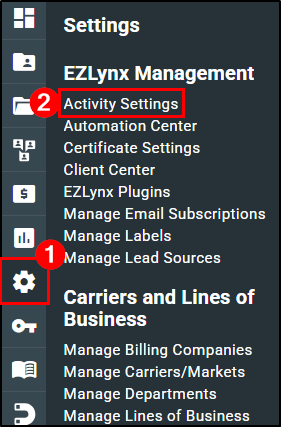
1. Hover over the Settings icon (gear).
2. Under the EZLynx Management section choose Activity Settings.
3. Navigate to the Checklist Management Tab.
4. Select the New Checklist button.

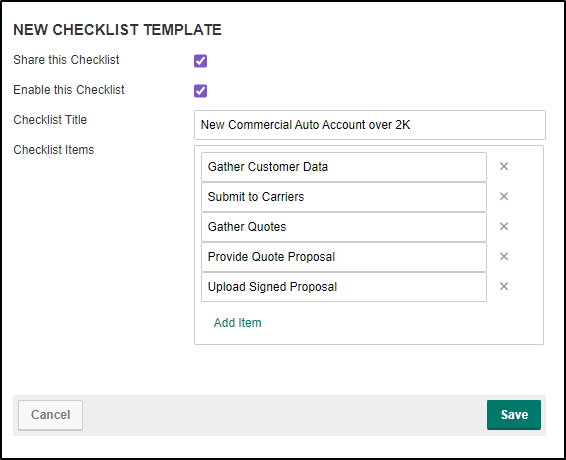
5. On the New Checklist Template page, give the Checklist a title.
6. Add the Checklist items by typing in the items that need to be completed.
- To add extra items, select Add item.
- To remove an item from the list, select the 'x' next to the respective item.
7. Once the checklist is made, check the box next to 'Enable this Checklist'.
8. If you want to share this checklist with your branch locations, check the box next to 'Share this Checklist.
9. Finally, select the Save button to make the checklist available for your agency to use.
To learn how to add a Checklist to a task, check out our Agency Workspace - Notes, Tasks, & Task Reminders training article!
Manage Lines of Business
The Lines of Business drop-down when making a manual policy defaults to all possible lines of business which is quite a long list. You can customize this list to only include the lines of business your agency writes so the list is shorter.
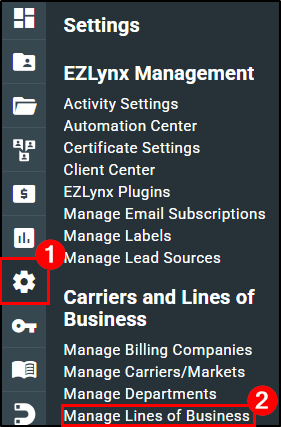
1. To customize the lines of business options, hover over the Settings icon.
2. Under the Carriers and Lines of Business section, choose Manage Lines of Business.
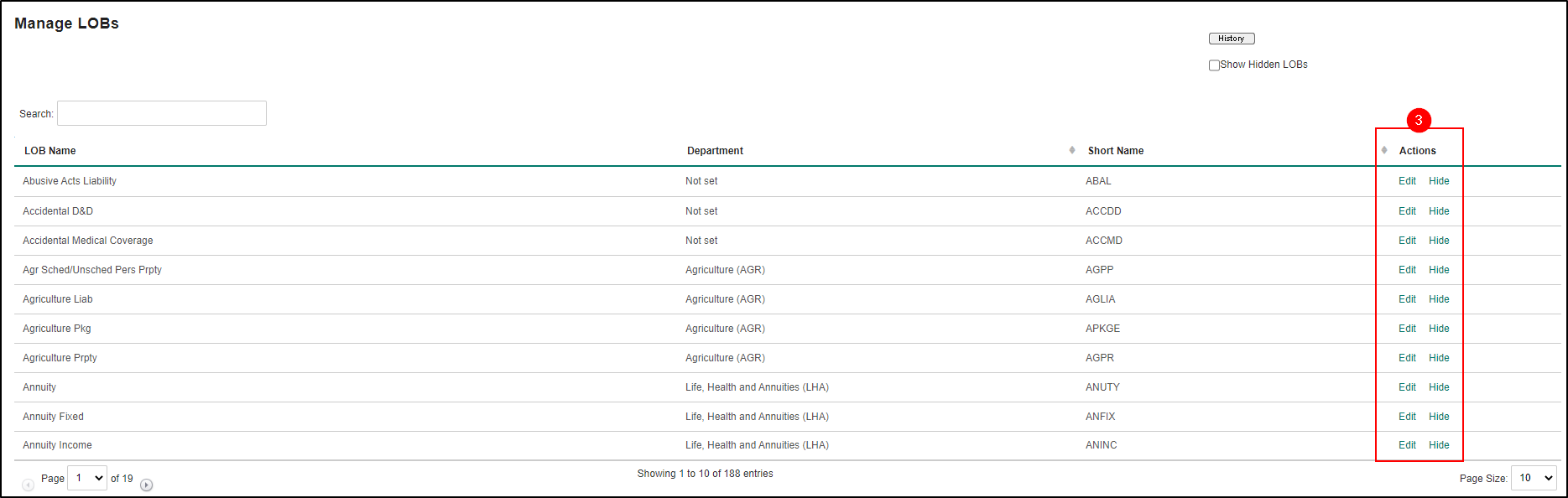
3. To hide a line of business from the drop-down, under the Actions column click Hide. The Edit option allows you to assign a Department to the lines of business. See our Agency Workspace - Manage Departments to learn more about Departments!
Certificate Settings
Before creating Certificates, it is a good idea to create your agency's Certificate Holder master list. This list should contain all the common Certificate Holders you work with so that you can quickly add them when creating a Certificate Master. It's also a good idea to add Master Remarks for the same reason!
Certificate Holders
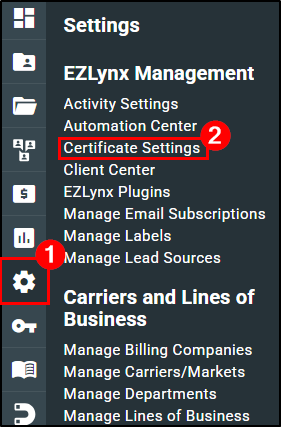
1. To add to the Certificate Holder list, hover over the Settings icon.
2. Under the EZLynx Management section, choose Certificate Settings.
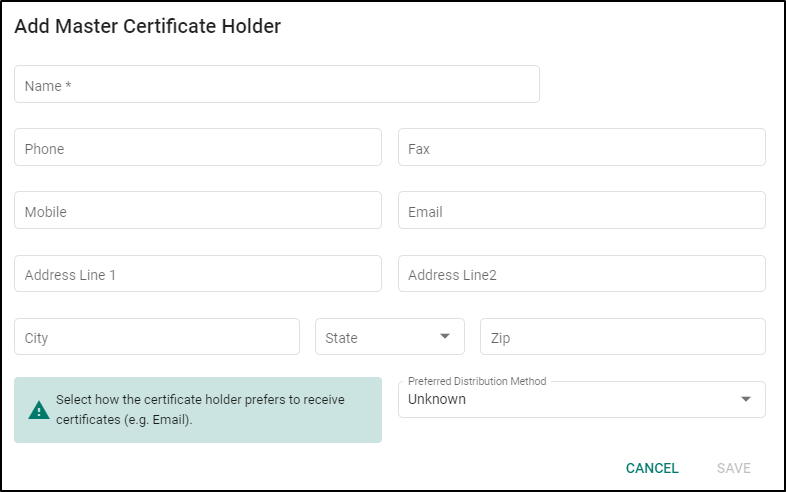
3. Under the Holders tab, click the Add Certificate Holder button.

4. Input the Certificate Holder's information and then click the Save button. Repeat until your Certificate Holder master list is complete!
Master Remarks
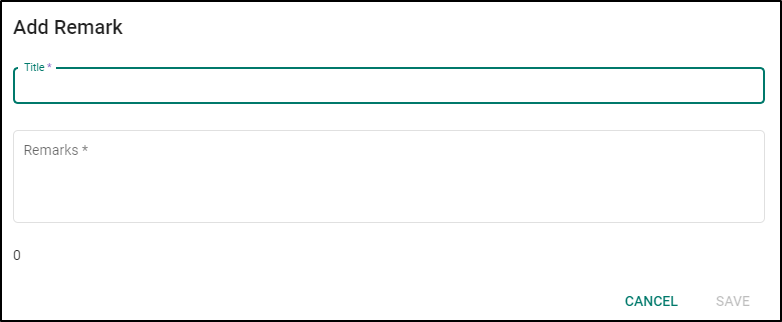
1. To add a Master Remark, click the Remarks tab.
2. Then, click the Add Remark button.

3. Input the Title of the Remark so you can find it easily.
4. Then input the Master Remarks and click the Save button. Repeat this process until all your Master Remarks are added!
Did you find it helpful? Yes No
Send feedback