Reports 5.0 - Benefits and What to do to Prepare
Modified on: Thu, 18 Jun, 2026 at 4:24 PM
We're excited to announce that Reports 5.0 in Looker is now available to all users with Reporting Permissions!
Our Reports 5.0 features new and improved capabilities for data visualization and reporting. Significant performance improvements also ensure faster report generation times. Streamlined drill through capabilities and increased columns of data allow for more efficient and in-depth analysis. Additionally, you can generate beautiful, professional-looking reports with improved PDF and CSV exports. These updates will help you generate more insightful reports, enabling better business decisions.
So, let's take some time now and discuss the benefits of our new reports in the new reporting platform in EZLynx and cover what you can do to be prepared for the eventual sunset of the old Reports 4.0.
TABLE OF CONTENTS
- Faster, Sleeker, Better
- Cleaner PDFs
- More Usable CSV Exports
- Saved Customized Reports
- Favoriting Reports
- Scheduled Reporting
- What can I do to be Proactive?
 | Did you know? - You can click on the images in our articles to make them bigger! |
Faster, Sleeker, Better
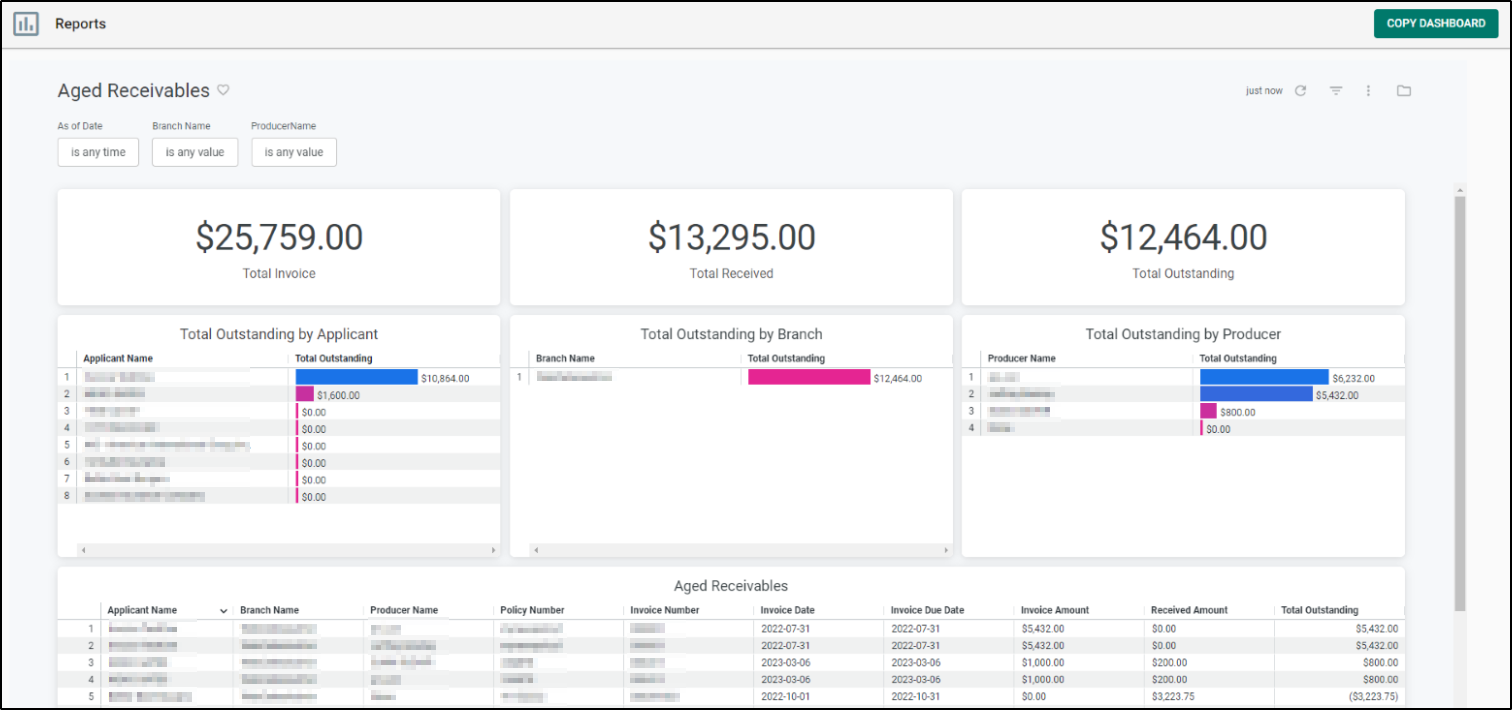
Reports 5.0 has been designed to perform faster, which means you can generate reports more quickly and access the information you need in a more efficient manner. We've put a lot of effort into making these reports look great and function better. You can now generate reports that are not only beautiful and professional-looking but also easy to use and understand.
We've made some big improvements to the data visualization capabilities of these reports, so you can now view your data in more intuitive and insightful ways. This should make it easier to identify trends and patterns that you might have otherwise missed. We've also increased the number of columns of data available for analysis, give you a more comprehensive view of your data. This means that you can perform more in-depth analysis and extract even more insights from your reports.
We've also added a new drill through feature to the reports, which allows you to access detailed information quickly and easily on individual invoices or bills. This feature streamlines the drill through process, allowing you to access more detailed information with just a few clicks.
 | Attention! - Total Premium is Total Written Premium not Total Annualized Premium. |
Check out the table below to see the current refresh rates for each Report Category!
| Report Category | Refresh Rate |
|---|---|
| Accounting | Every 60 Minutes |
| Activity | Every 4 Hours |
| Agency Management | Every 4 Hours |
| Applicant | Every 4 Hours |
| Book of Business | Every 4 Hours |
| Claims | Every 4 Hours |
| Commissions | Every 60 Minutes |
| Policy Management | Every 4 Hours |
| Quotes | Every 4 Hours |
| Retention Center | Every 2 Hours |
| Sales Center | Every 2 Hours |
| Underwriting | Every 4 Hours |
| Attention! - Between 9PM - 5AM CST, report refreshing is disabled. The reporting refresh rates resume after 5AM CST. |
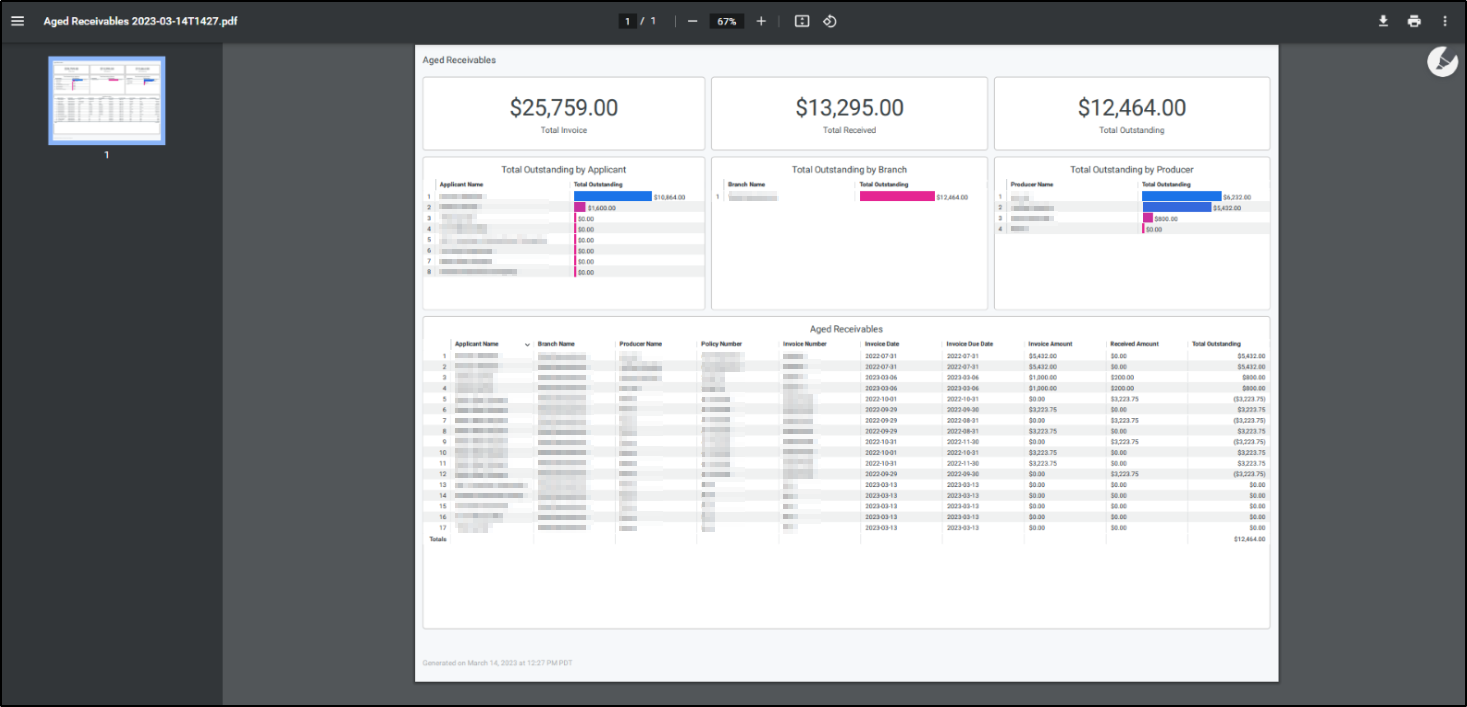
Cleaner PDFs
We've improved the PDF generation process, so you'll no longer have to worry about formatting issues when sharing reports with stakeholders. The reports now look cleaner and more polished.
More Usable CSV Exports
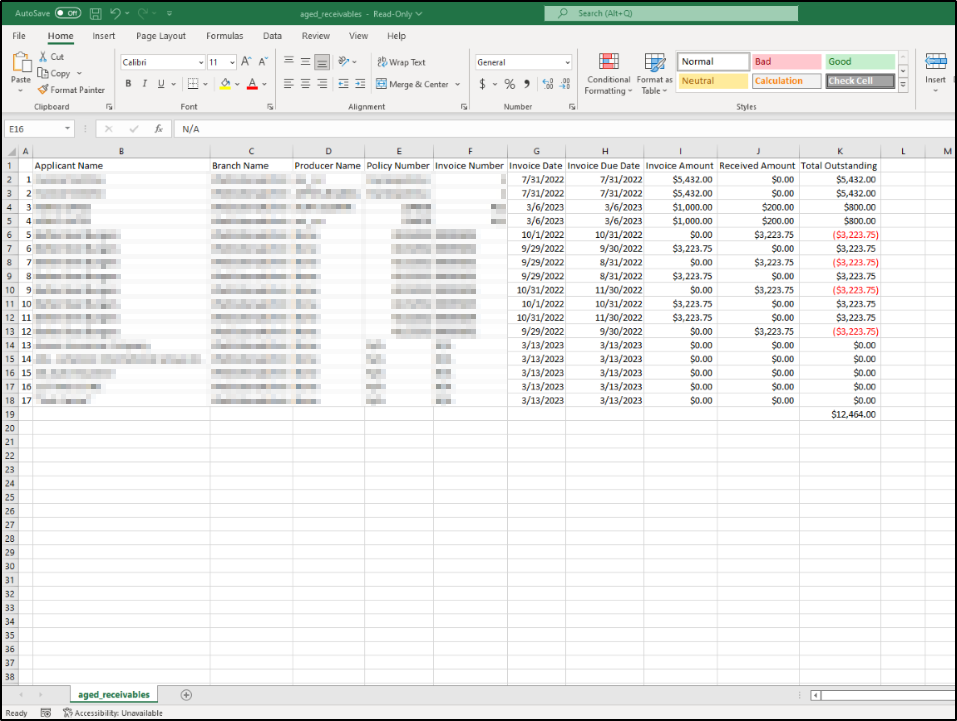
We've made improvements to the CSV exports, making them more user-friendly and easier to work with. You can now import data into other systems and perform further analysis without any data loss.
Saved Customized Reports
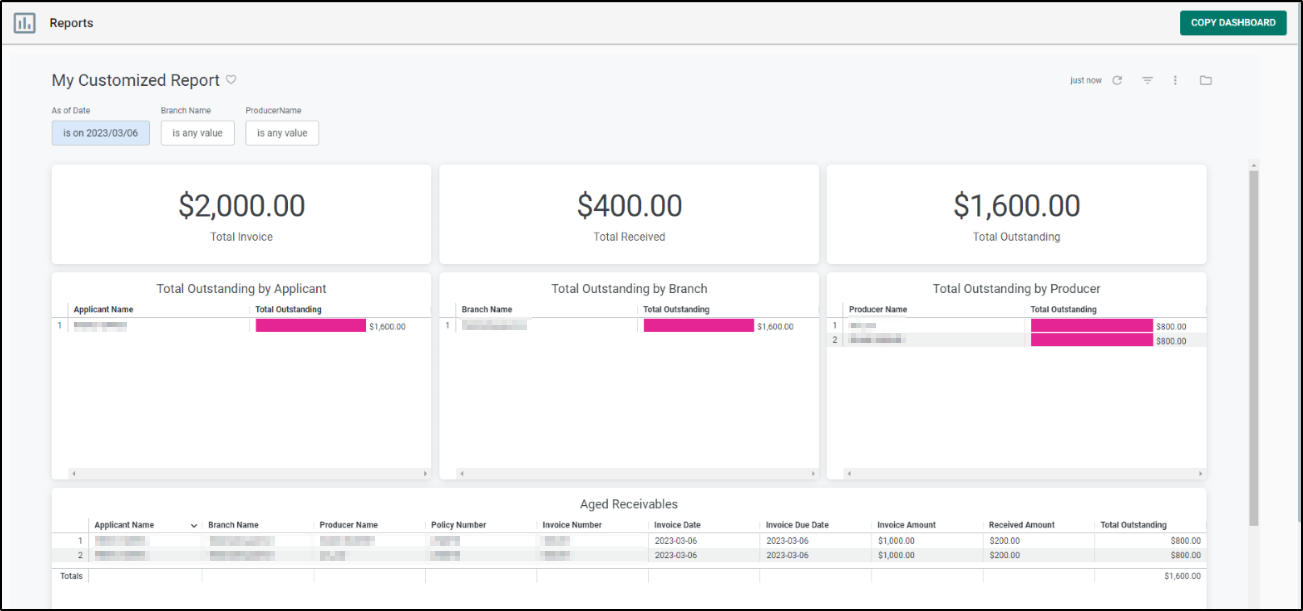
We've made improvements to the Saved Reports functionality. You can now save customized reports with your preferred settings and filters. This feature makes it easier to generate reports that meet your specific needs and preferences.
Favoriting Reports
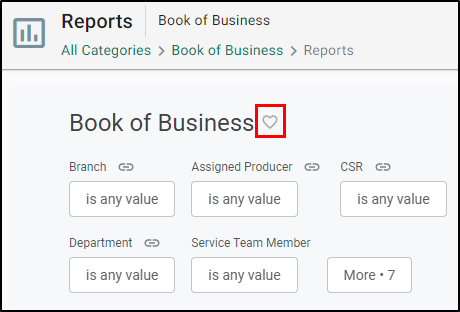
Designed to streamline your reporting process, you can easily bookmark and access your most used reports. On a report you use often, select the heart icon next to the Report Name. This will automatically add the report to your Favorites page. You can even do this with your Saved Reports!
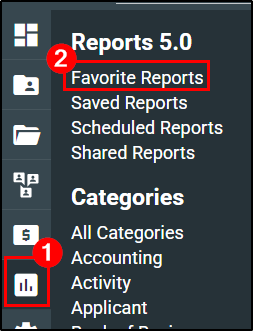
You can access your favorite reports by hovering over the Reports icon and selecting the Favorite Reports option. This will take you to the Favorite Reports page.
Scheduled Reporting
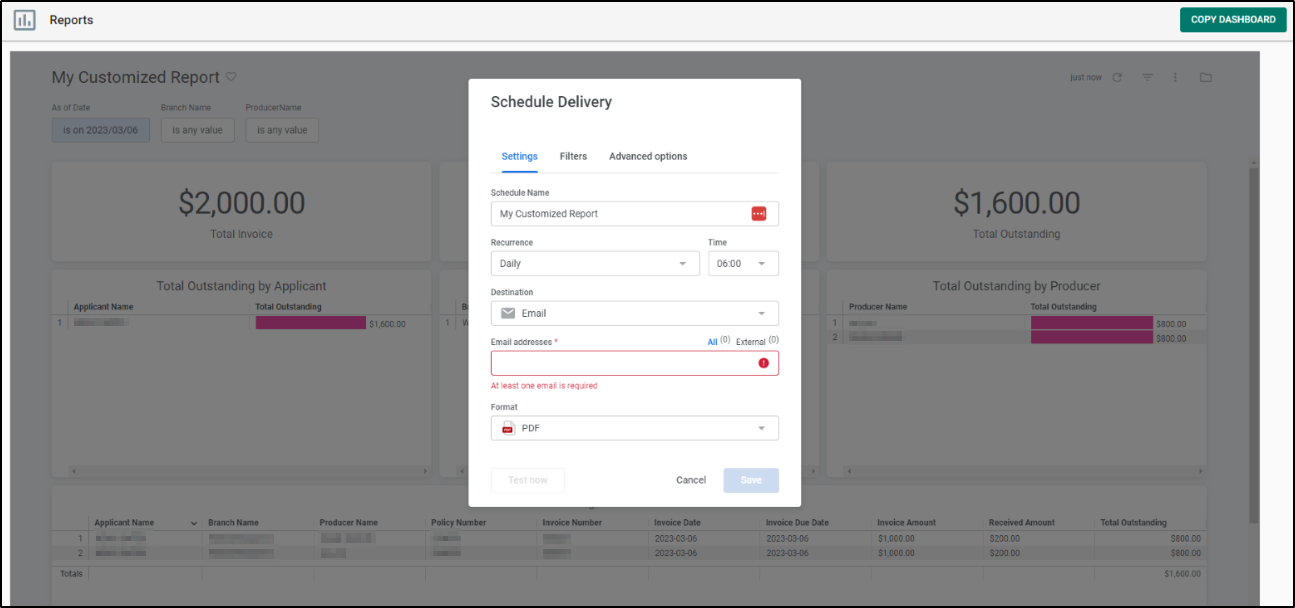
We've made improvements on the Reports Scheduler. You can now schedule reports to be generated automatically at specific intervals such as daily, weekly, or monthly. This feature saves you time and ensures that you always have the latest data at your fingertips.
What can I do to be Proactive?
All EZLynx users with Reporting permissions have access to the new Reports 5.0 system. Eventually, we will retire a.k.a sunset the old Reports 4.0 system. The best way to prepare for this is by taking proactive steps to get familiar with the new Reports by recreating your reports into the new system.
Rebuilding your reports
One of the best ways to get familiar with the new reports is to recreate your current reports in the new system. Take the top 3 reports you use on a regular basis and recreate them one at a time. Here are some things to note before getting started!
- Master Reports and Details: Master reports and Detail reports are now combined into just Details reports. This allows for less confusion around where to go when you need a report that has the most information available.
- Dashboards vs. Looks: There are two types of reports in the new system. Dashboards are a great way for getting a visual pulse as it uses graphs to show case the data. Looks are a great way for detailed data analysis as the data is presented in the traditional data table style.
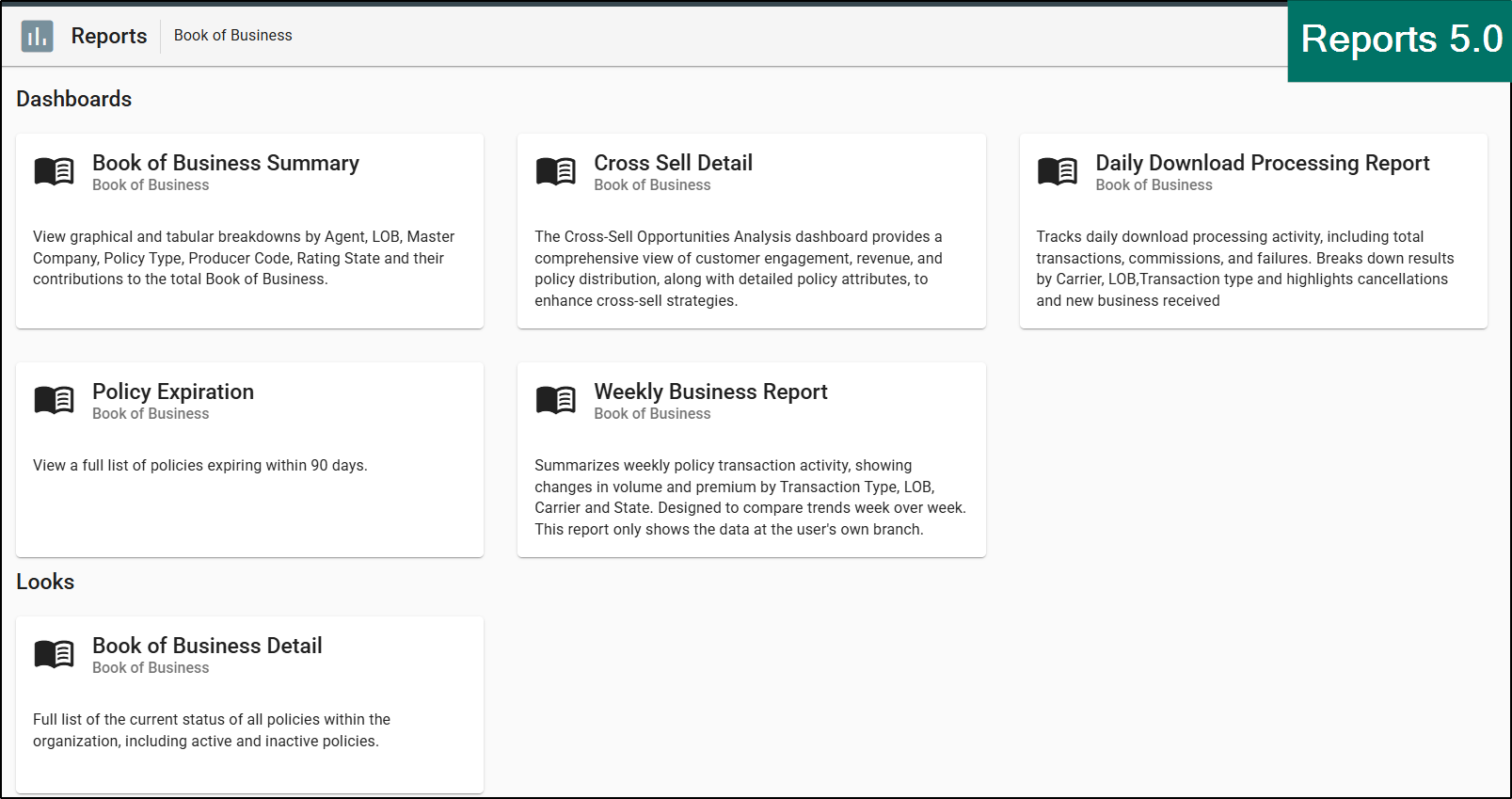 | 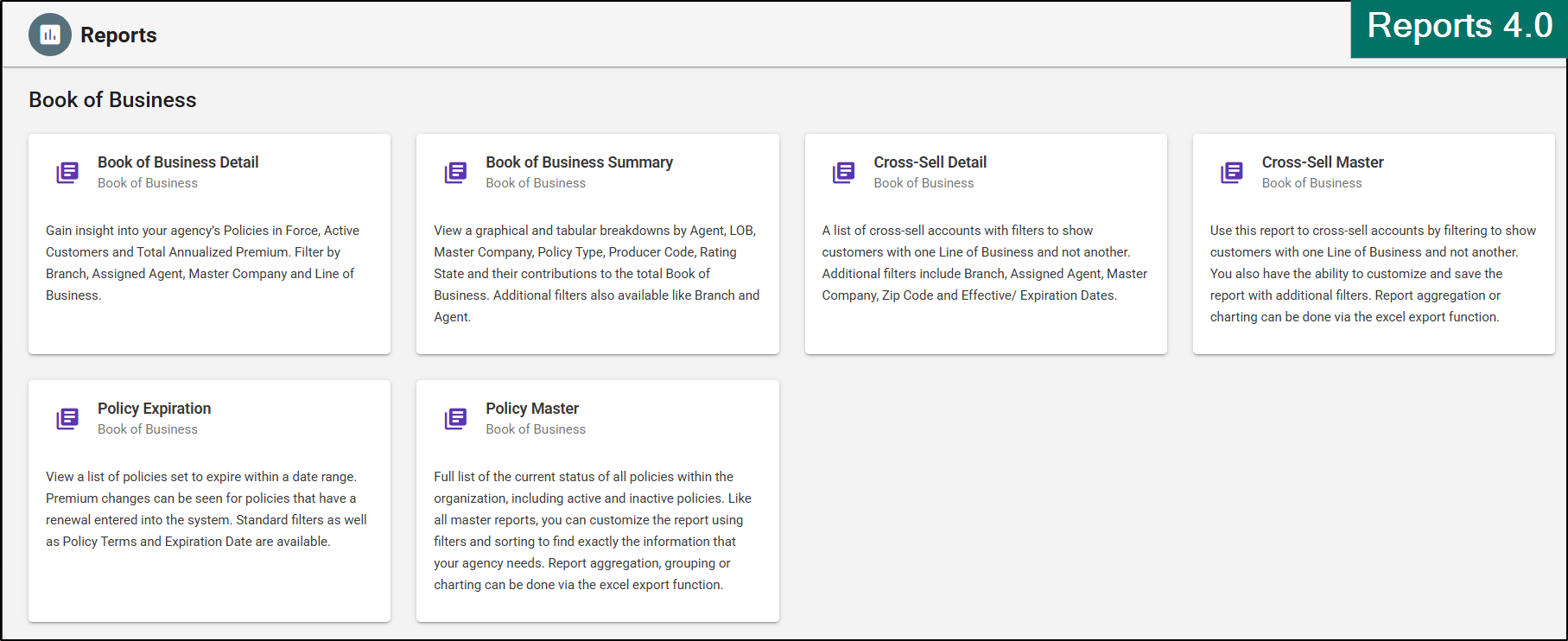 |
These two major changes help make finding the report you need easier based on the type of data you are looking for and helps lessen confusion when choosing between Master vs. Details.
- If you are looking for a quick visual pulse on the data, look for a Dashboard report. These will mainly be your new Summary reports.
- If you are looking for detailed data for analytics in a traditional table style, look for a Looks report. These will mainly be your new Detail reports.
The last major change is around how Saved Reports functions. The “Save Report” feature is now a “Save Filter” feature. This change will allow you to quickly switch between your most used reports with two clicks rather than having to navigate to the Reporting Menu, then Saved Reports and then find the report you need among all your saved reports.
Reports 5.0 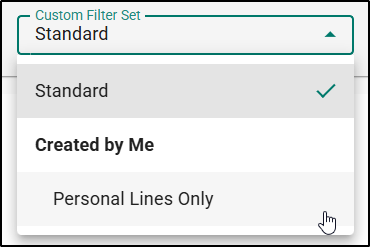 | Reports 4.0
|
If you are ready to try recreating your reports, check out our:
- Instructor-Led Training: Reports 5.0 Transitioning webinar
- Learn the differences between old and new reports
- Learn how to navigate the new reports and locate equivalent reports by category
- Recreate legacy report configurations using filters and custom filter sets
- Rebuild and validate scheduled report deliveries in Reports 5.0
- Identify commonly used reports and ensure they are included in your transition plan
- Complete a step-by-step migration process to successfully transition all your Legacy reports
- Self-Service Training: How to use Reports 5.0 article
- Learn how to fine the new reports
- Learn how to apply filters and remove filters
- Learn how to create a custom filter set
- Learn how to move and sort columns
- Learn about the drill through data and export features
- Learn how to schedule and favorite a report
- Includes two videos so you can watch and follow along!
We hope you are excited for this new feature and look forward to our future releases. Please let us know if this article was helpful in learning about the new feature by answering the question below. Check out our related articles on the right-side of the page to learn more about EZLynx!
Did you find it helpful? Yes No
Send feedback