New Ask EVA Pilot
Modified on: Thu, 25 Jun, 2026 at 5:23 PM
We are excited to announce the Pilot for the new Ask EVA—a smarter, faster, and more intuitive conversational assistant built right into EZLynx. Designed to feel like a trusted teammate, EVA helps you:
- Instantly understand your applicants
- Explore policy details
- Review communication history
- Complete daily tasks with clarity and confidence
With this enhanced experience, EVA brings together insights from communication history, billing, claims, coverage, and policy information—all within a single, streamlined EVA panel. No switching screens. No hunting for data. Just quick, accurate answers right when you need them.
TABLE OF CONTENTS
- What's in it for me?
- Accessing new EVA
- EVA Functionality
- Applicant Search & Selection
- Applicant Snapshot & Account Overview
- Policy Retrieval & High‑Level Details
- Coverage Information & Explanations
- Sending ID Cards & COI Links
- Claims Overview
- Billing & Payment Information
- Premium Change Insights
- General Insurance Knowledge
- EZLynx Workflow Guidance
- Communication Summaries & “Catch Me Up”
- Practical Applications
 | Did you know? - You can click on the images in our articles to zoom in. |
What's in it for me?
EVA helps you work more efficiently by bringing all the most important applicant information—active policies, billing status, claims, and communication history—together in one clean, easy‑to‑use space. Instead of switching between pages or digging for details, you can quickly get the high‑level information you need and respond to customers with greater speed and confidence.
With clear, natural‑language summaries, EVA makes understanding account context effortless. You can see recent interactions, policy insights, and coverage details at a glance, helping you stay fully informed and ready for any conversation with your clients.
EVA also provides dependable, step‑by‑step guidance for everyday tasks in EZLynx. Whether you're navigating modules, uploading documents, or completing common workflows, EVA walks with you through each step so you can complete tasks accurately and efficiently.
Accessing new EVA
You will see a new EVA option in the EZLynx header next to the global search bar. Selecting this option opens the EVA panel from anywhere you are working.

EVA opens from a dedicated panel available across all EZLynx pages.
- On non-Applicant pages, EVA opens with EVA Chat only.
- When you open EVA on an Applicant page, you will see both EVA Chat and Applicant Information tabs together.
Non-Applicant Page 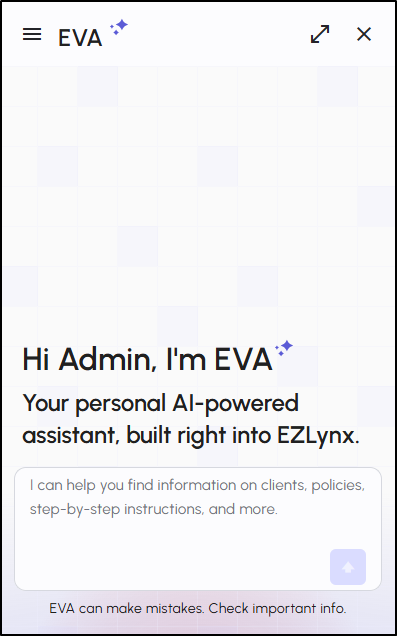 | Applicant Page 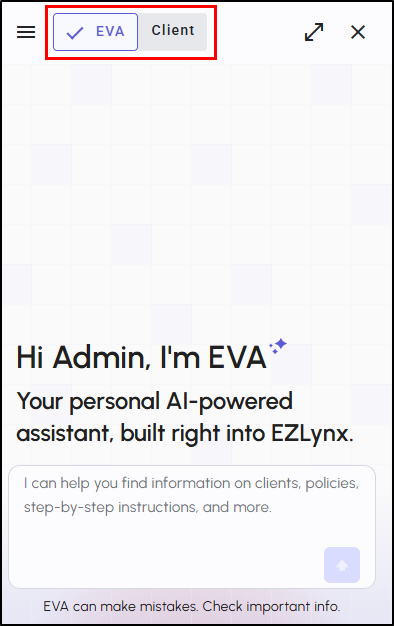 |
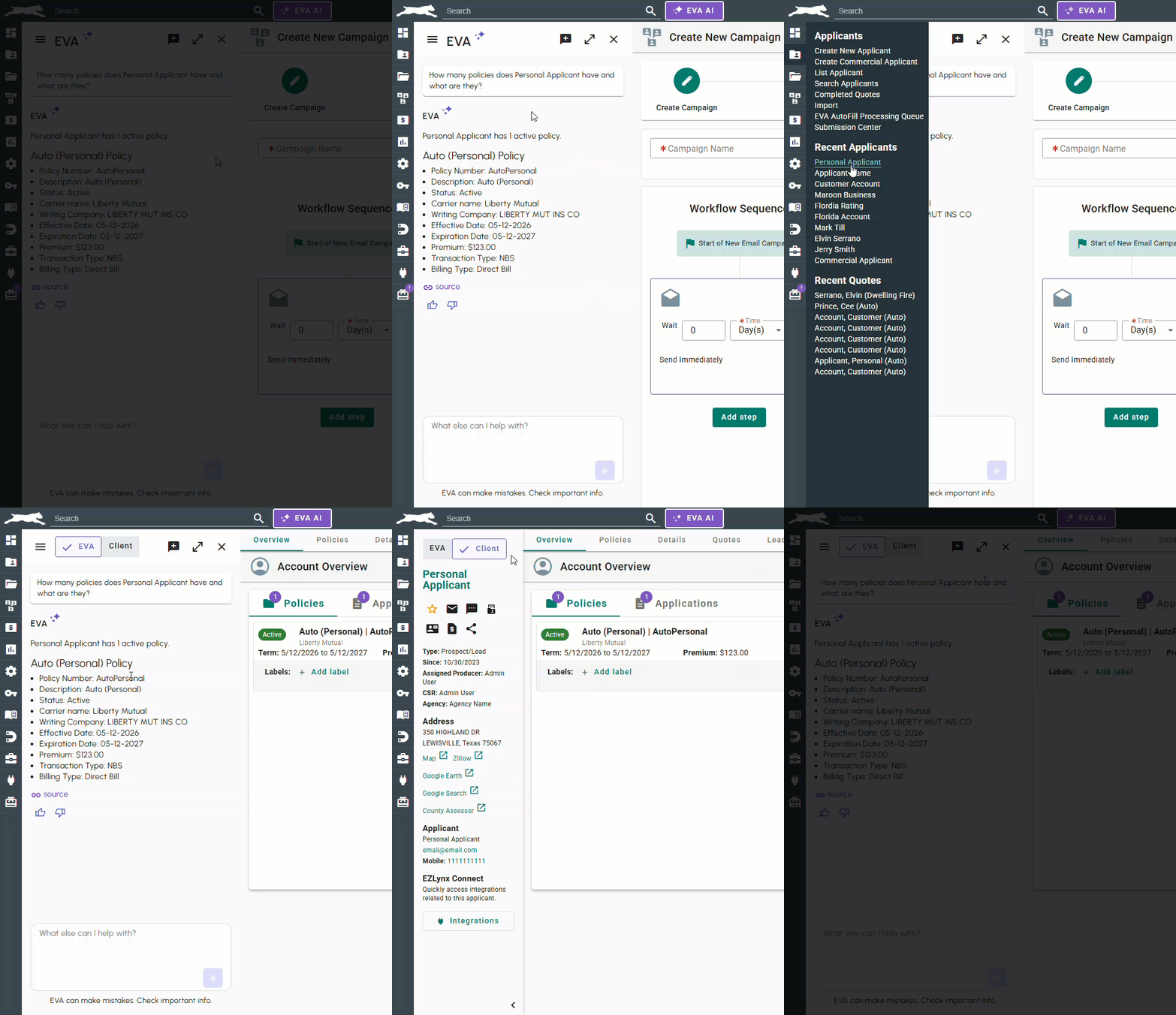
Your current conversation stays active even when you navigate across EZLynx pages or switch between the Applicant Information and EVA Chat tabs, so you can move freely through the system.
EVA resets only when you:
- Close the panel
- Start a new chat
- Ask about a different applicant
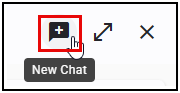
Starting a New Chat
Inside the EVA panel, you can start a fresh conversation using the “New Chat” option. EVA will clear your current window while safely storing previous conversations in chat history.
Viewing Previous Chat Threads (Menu & History)
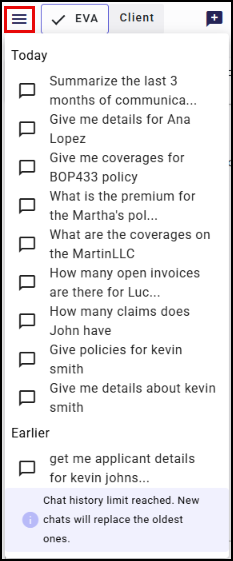
The Menu icon gives you access to your previous chat threads—up to ten, organized by Today and Earlier. If you exceed ten saved threads, EVA informs you that older threads will be replaced.
Ask EVA Functionality
Ask EVA becomes your central hub for quickly understanding an applicant, simplify customer conversations by breaking down policy details, and makes routine tasks faster like summarizing communications.
Applicant Search & Selection
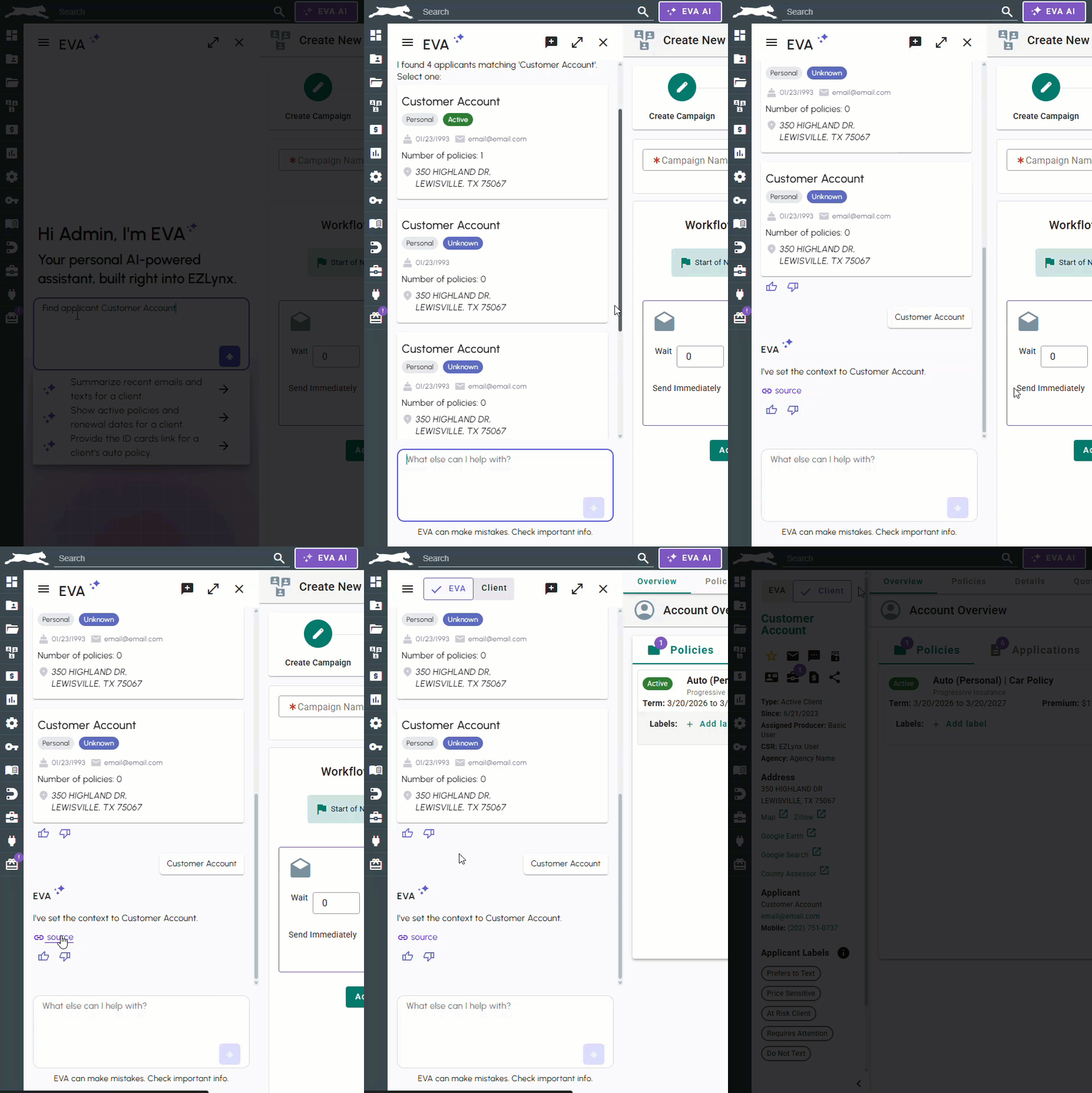
When you ask EVA to find an applicant, you will see a list of matching applicant cards containing details like contact information, address, DOB, policy count, and status. You can choose the correct applicant directly from this list, and EVA guides you to refine results when necessary.
Applicant Snapshot & Account Overview
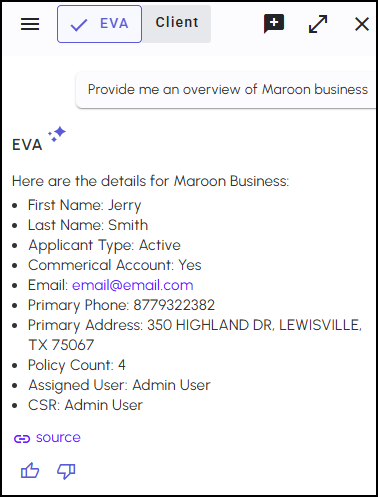
You will be able to view an applicant’s high‑level account snapshot, including active policies, renewal dates, premium due dates, contact information, policy counts, and general account attributes—conveniently accessed through EVA.
Policy Retrieval & High‑Level Details
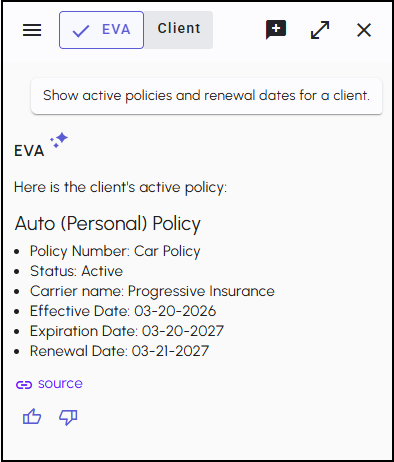
EVA retrieves all relevant policies for the applicants and displays key attributes, including line of business, policy number, carrier, effective dates, expiration dates, premium, and more.
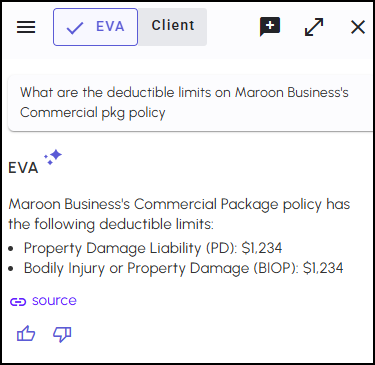
Coverage Information & Explanations
You will be able to ask EVA about any coverage in the applicant’s policies. EVA identifies the correct policy and provides clear explanations of coverages, deductibles, limits, and endorsements in plain.
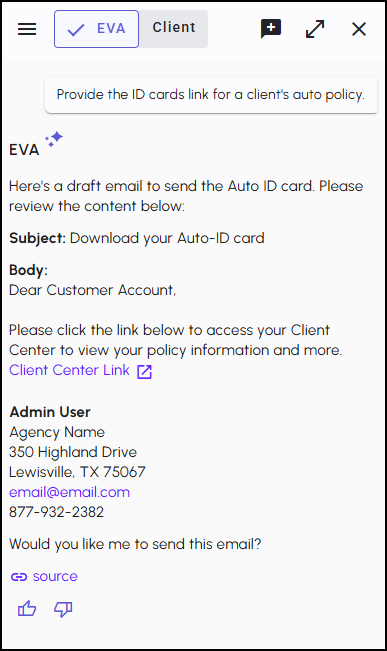
Sending ID Cards & COI Links
When you ask EVA to send an ID card link, EVA determines whether the account is personal or commercial and prepares the correct Client Center email. EVA always confirms the email address before sending, and logs this action in the Activity notes and system log with EVA attribution on it.
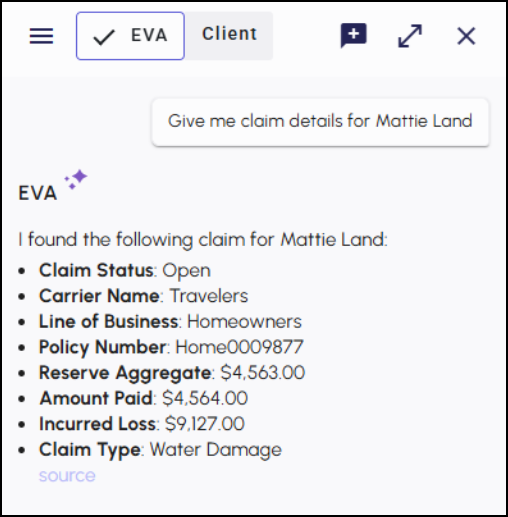
Claims Overview
You will be able to get high-level claim details such as claim numbers, status, dates, descriptions, and adjuster details. EVA also identifies when a claim is tied to an existing policy.
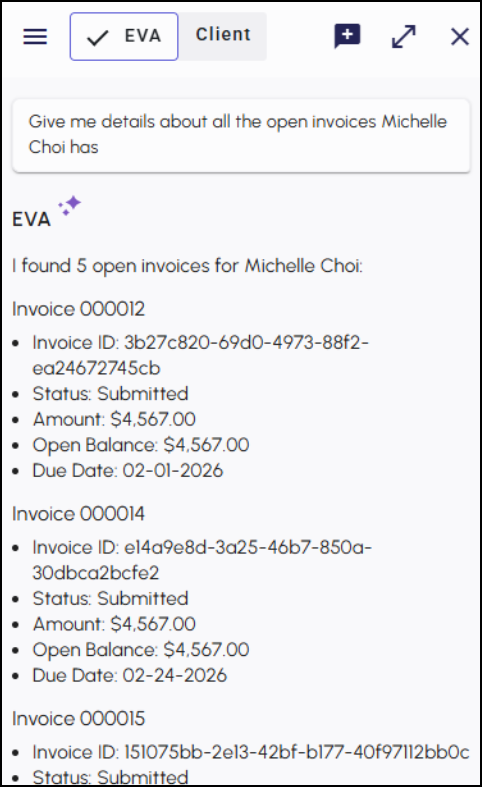
Billing & Payment Information
EVA retrieves billing information for the past twelve months and displays up to twenty‑four items, such as invoices and receipts. EVA clearly communicates limitations when more history exists or when requests exceed available data.
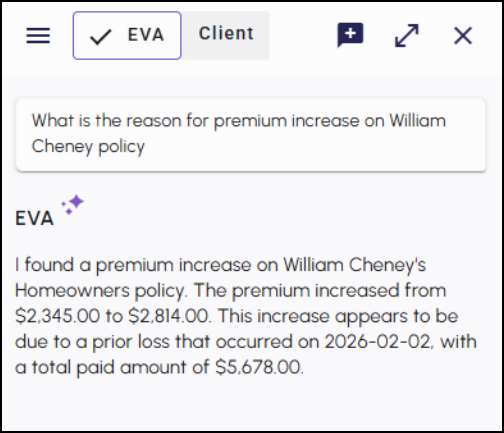
Premium Change Insights
When you want to understand a premium increase, EVA compares the current and previous policy terms and highlights major changes in simple, understandable language.
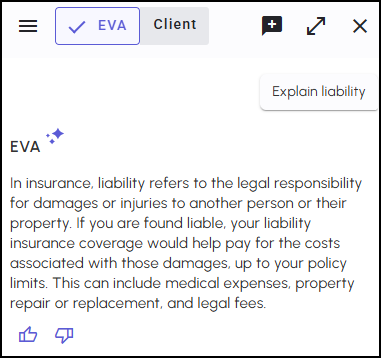
General Insurance Knowledge
You will be able to ask EVA to explain insurance concepts or terminology in easy-to-understand wording, helping you better support your insureds.
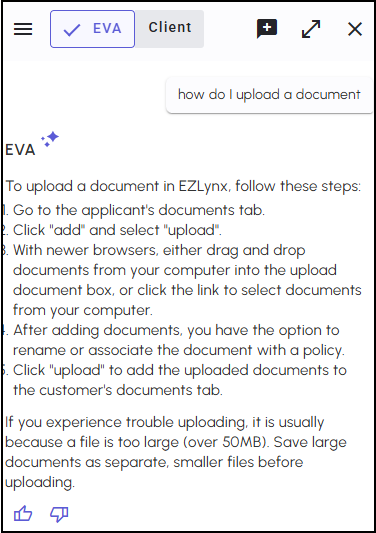
EZLynx Workflow Guidance
EVA provides step‑by‑step help for common tasks such as uploading documents, navigating modules, or creating activities. This makes it easier to complete work without searching for instructions.
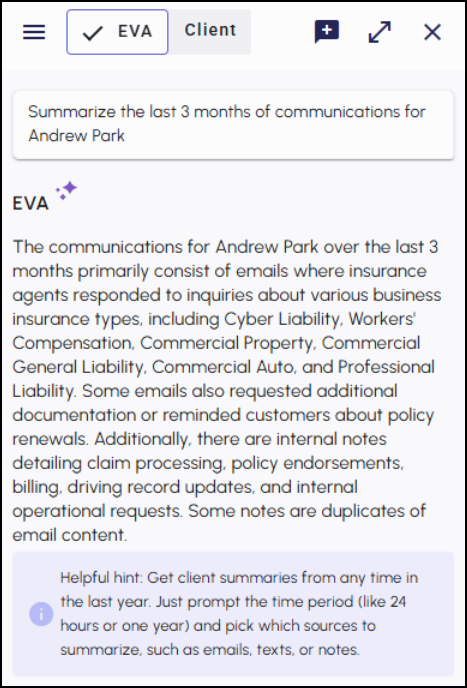
Communication Summaries & “Catch Me Up”
EVA summarizes recent emails, texts, and notes for the applicant. “Catch Me Up” provides a default three‑month summary, and EVA includes a helpful hint the first time you use it in each chat thread, guiding you to explore custom time ranges.
Practical Applications
- EVA becomes your central hub for quickly understanding an applicant. Key details—policies, renewal dates, billing status, and claims—are all in one place, helping you prepare and respond with confidence.
- EVA also simplifies customer conversations by breaking down policy details, clarifying insurance concepts, and turning complex information into easy‑to‑share explanations.
- Routine tasks become faster, too. From sending ID card links to summarizing communications or navigating to important areas, EVA guides you step‑by‑step to complete work accurately and efficiently
We hope you are excited for this new feature and look forward to our future releases for it's official launch. Please let us know if this article was helpful in learning about the new feature by answering the question below. Check out our related articles on the right-side of the page to learn more about EZLynx!
Did you find it helpful? Yes No
Send feedback