Text Messaging EIN Registration
Modified on: Tue, 28 Jul, 2026 at 4:46 PM
SMS integration (Twilio) requires EZLynx to provide additional information for customer accounts to ensure no disruption to their texting service. These requirements are being driven by cellular carriers, and they include providing your agency's Employer Identification Number (EIN). EINs identify enterprises as legitimate businesses, and a validation of this information will prevent SMS messages from being blocked or flagged as SPAM.
Because of this, Agency Admin, you will want to register your brands for your agency through EZLynx if you plan to use our Text Messaging product before the 45 day grace period is up. Once the 45 day grace period is up, if your registration has not been approved, Text Messaging will be temporarily disabled for your account. To re-enable it, you must complete the registration process and the submission must be approved. If you have questions, check out our Twilio EIN FAQ article!
TABLE OF CONTENTS
- Accessing EIN Registration Page
- Filling out the EIN Registration
- Submission Approved
- Submission Declined
- Re-enable Texting Service
 | Did you know? - You can click on the images in our articles to make them bigger! |
Accessing EIN Registration Page
If you are new to EZLynx and have our Text Messaging product enabled, the moment you log into EZLynx you will see a notification titled "Additional Text Messaging Registration Info Required". To begin the registration process, click on the provided link or click on the Register button. This will redirect you to the Registration tab under the Voice and Text Settings page. If you click Close, this notification will keep popping each time you log into EZLynx until you register your EIN.
To access the EIN Registration page without the pop-up:
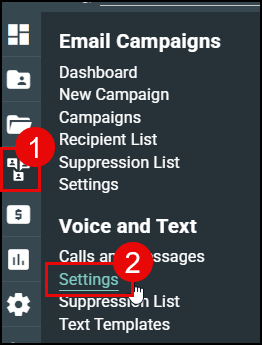
1. Hover over the Communication Center (text bubble) icon.
2. Choose Settings under the Voice and Text section.
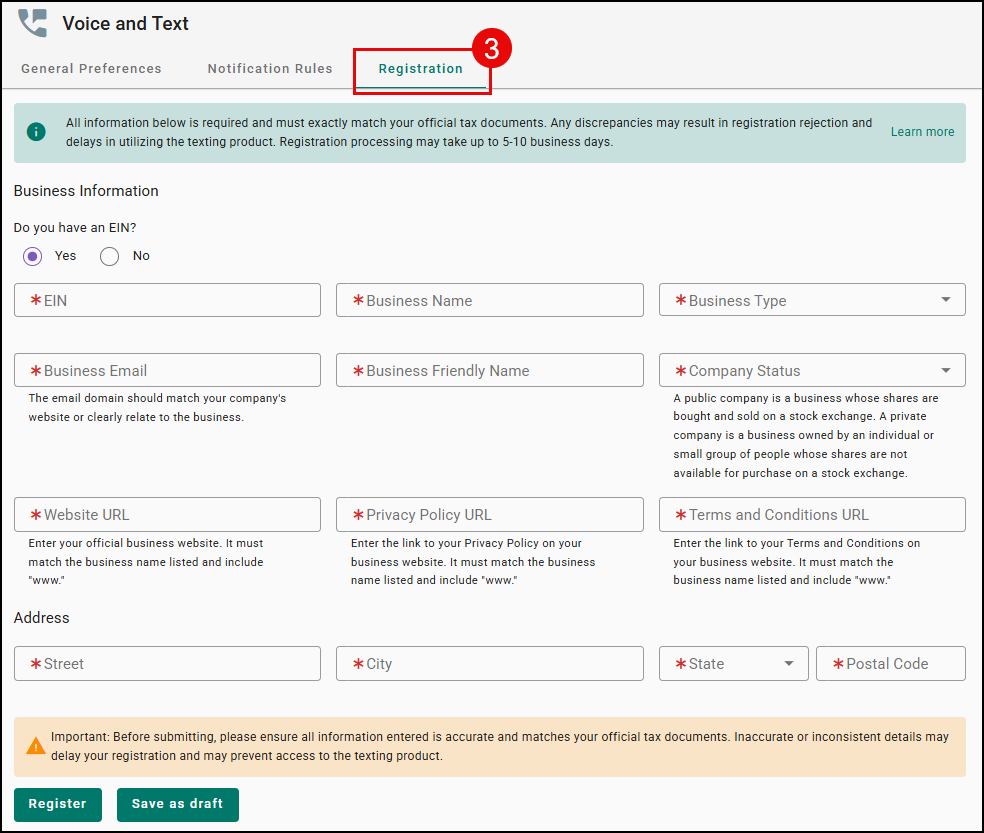
3. Navigate to the Registration Tab.
 |  |
Filling out the EIN Registration
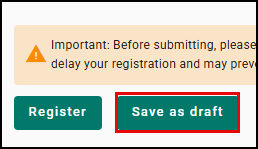
Once you have navigated to the Registration tab, you'll want to fill this out based on the what is on your tax documents. If you need to navigate away form this page, click on the Save as draft button to save your work and come back later.
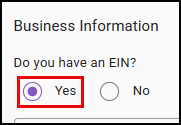
Yes, I have an EIN
If you have an EIN, choose the Yes option and fill out all the fields.
As you are filling out the form, these are requirements for a successful registration:
- The legal business name and EIN must match exactly as shown on the CP 575 to ensure successful registration (Refer to CP 575 EIN Confirmation Letter provided by the IRS).
- Lost your CP575? You can request a 147c letter from the IRS to obtain the necessary information for registration - call the IRS Business & Specialty Tax Line at 1-800-829-4933 (Mon-Fri, 7am-7pm local time). It can't be requested online.
- Verify that your agency website includes a Privacy Policy and Terms & Conditions page with specific data sharing verbiage (no selling/sharing personal info to third parties). Ensure that these policy links are easily accessible at the bottom of your website.
- If you don't already have a Privacy Policy and Terms & Conditions page, check out our Twilio EIN FAQ!
- Your Privacy policy must:
- Be clear that messaging consent data is not being shared, sold, or bought.
- Disclose what data you collect and how it's used.
- Explain that mobile information and opt-in consent won't be shared with third parities or affiliates for marketing or promotional purposes (required by CTIA)
- Your terms and conditions should generally include:
- Program or brand name
- Program description
- Message and data rates may apply disclosure
- Message frequency (or recurring message disclosure)
- Customer support contact information
- Complete opt-out instructions (HELP and STOP), displayed in bold
- Link to the privacy policy
- Disclosure that states "Carriers are not liable for any delayed or undelivered messages"
- We recommend consulting with your legal counsel to make sure that your terms of service and privacy policy are compliant with applicable laws and consistent with standards for your particular campaign and industry.
- Pro tip: Consider creating messaging-specific privacy policies and terms and conditions rather than updating your main company documents. Dedicated messaging policies are easier to keep current if requirements change.
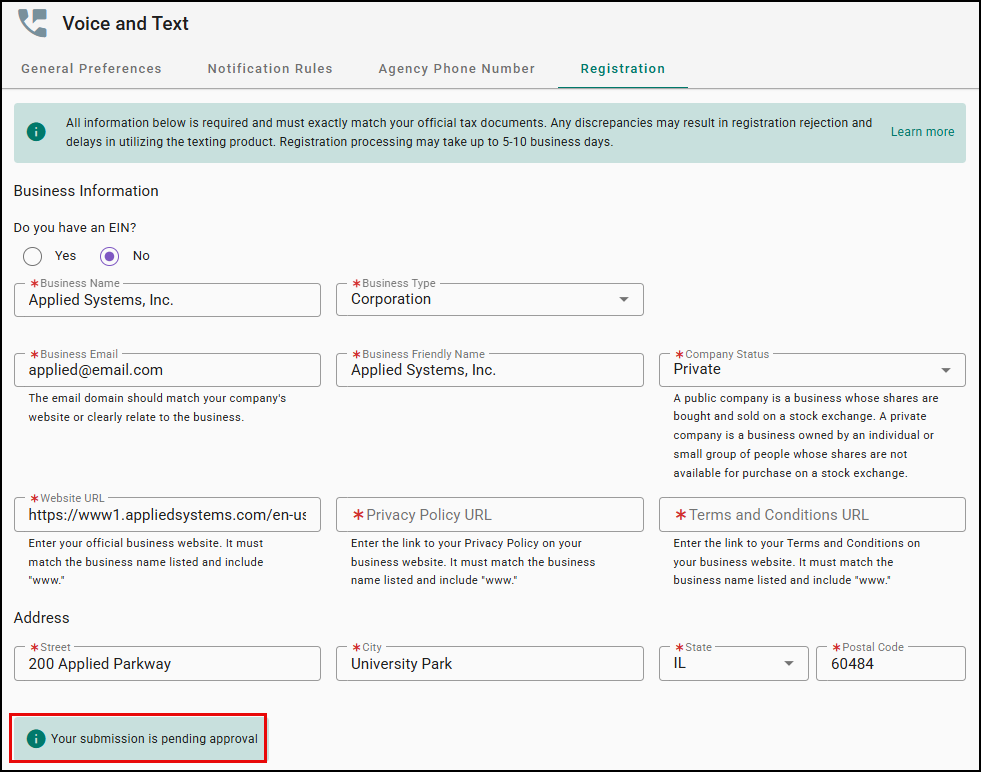
Once you have filled out all the fields and are confident it is accurate, click the Register button. This will send your details to Twilio for approval and you will see a message on your page that says "Your submission is pending for approval."
Please note, you WILL NOT have the ability to submit another registration on your own. If your first registration submission is declined, you will have to go through EZLynx Support for the second one, so double-check all the information you input into the fields is correct before clicking the Register button.
Please note, the Twilio approval process may take up to 5-10 days and if you have to resubmit then the timeline starts over.
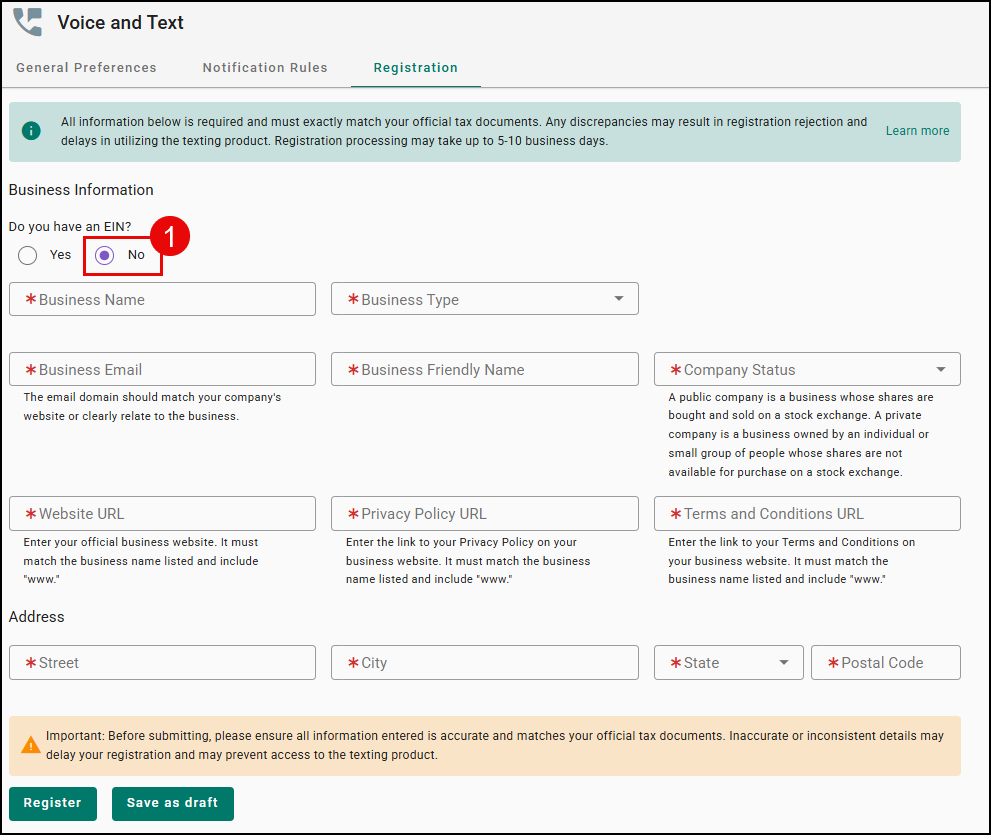
No, I don't have an EIN
Once you have navigated to the Registration tab, if you do not have an EIN, choose the No option, fill out the fields, then select the Register button. This will send automatically create a ticket and send it to our Support team who will reach out to help you complete registration. Once the ticket has been created, you will see a message stating "Your submission is pending for approval."
As you are filling out the form, please keep these things in mind:
- Make sure what you are inputting exactly matches your official tax document.
- Verify that your agency website includes a Privacy Policy and Terms & Conditions page with specific data sharing verbiage (no selling/sharing personal info to third parties). Ensure that these policy links are easily accessible at the bottom of your website.
- If you don't already have a Privacy Policy and Terms & Conditions page, check out our Twilio EIN FAQ!
Submission Approved
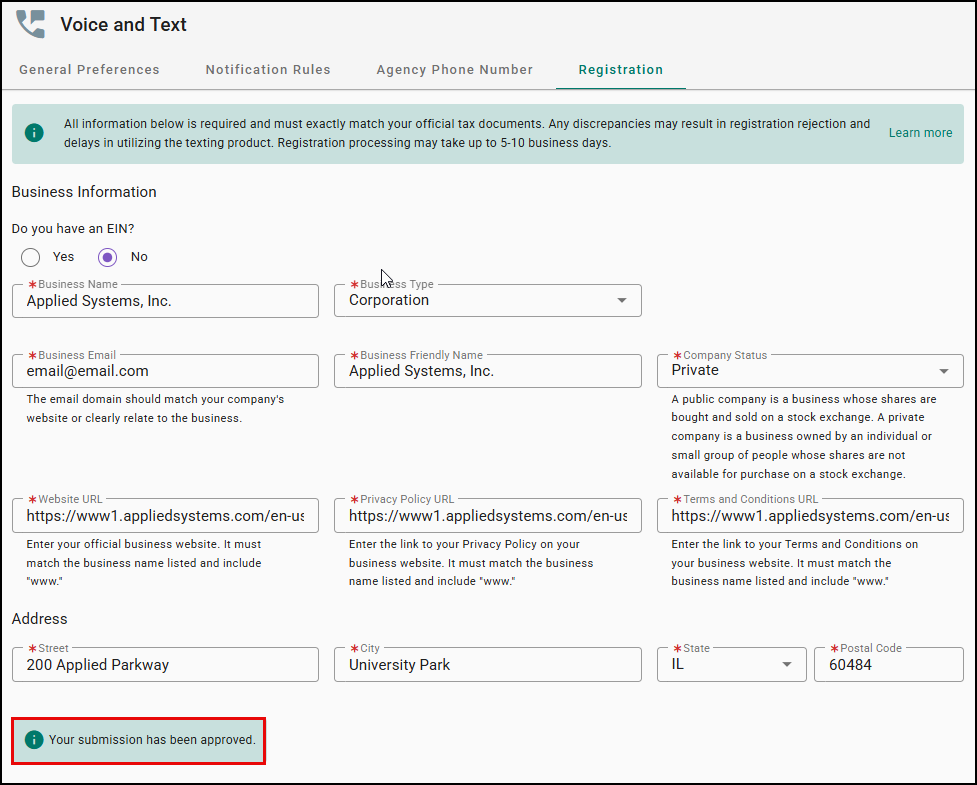
Once your registration is approved by Twilio you will see a new message stating "Your submission has been approved."
Submission Declined
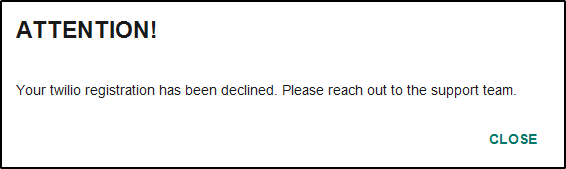
If your registration is declined, an Attention notification will pop-up the next time you log into EZLynx informing you that your submission got declined.
Once your registration is declined, you cannot submit another registration yourself. You must go through the EZLynx Support Team.
To reach out to support, please send an email to support@ezlynx.com asking for help submitting your second registration for your agency's EIN information. Support will work with you to schedule a call to assist with the second registration attempt.
Re-enable Texting Service
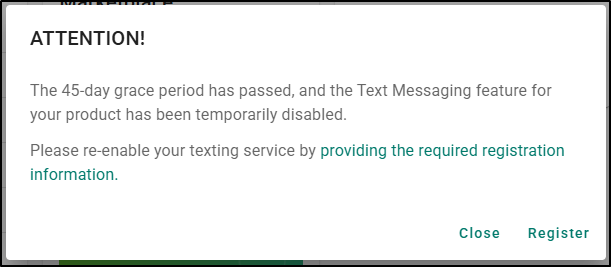
If your EIN has not been approved by the 45-day grace period, we will disable the Text Messaging feature for your agency. A notification will display the moment you log into your EZLynx account informing you that you must go register your EIN to re-enable your texting service. To re-enable your texting service, please follow the steps found earlier in this article to complete the registration process.
Did you find it helpful? Yes No
Send feedback