Email Campaign Recipient List Updates
Modified on: Thu, 15 Jan, 2026 at 7:07 PM
We are excited to announce some enhancements to the Email Campaign Recipient List feature! This release we are introducing advanced recipient-level controls, improved list management workflows, and enhanced consistency across Create, Edit, and Copy List functionalities. These new enhancements seamlessly integrate into the existing Recipient List workflow.
TABLE OF CONTENTS | Check out our video if you'd rather watch and follow along!  |
 | Did you know? - You can click on the images in our articles to zoom in. |
What's in it for me?
- Improved User Satisfaction: These enhancements directly address your needs identified through feedback, leading to a more intuitive and powerful tool.
- Cost Efficiency: By further enhancing the Recipient List feature, we continue to reduce the reliance on external reporting, ultimately saving your agency money.
Remove Recipients Manually
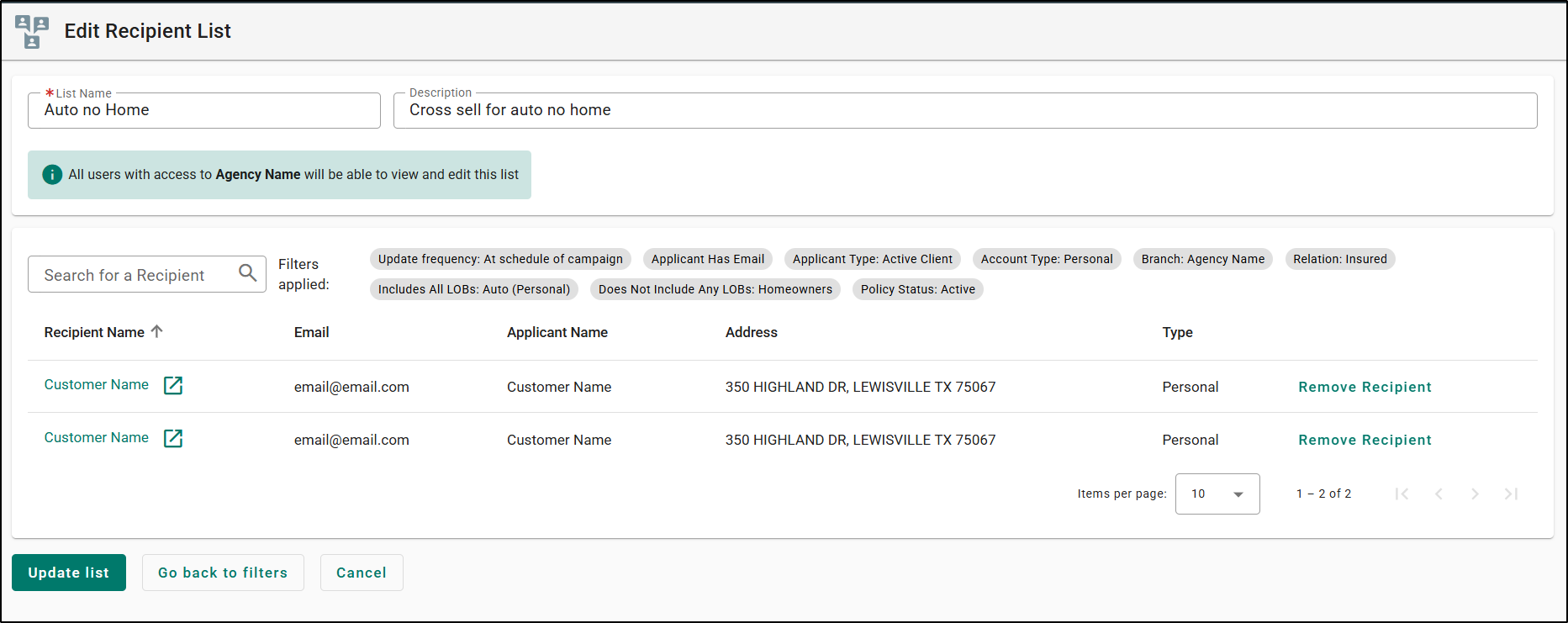
- Add/Remove Individual Recipients:
- You can now manually add or remove individual recipients across all recipient list workflows.
- In the Create New, Edit, and Copy a Recipient List workflow, all recipients have the Remove option by default.
- Manual removal is tracked at the recipient level (not at the email level).
- Previously removed recipients can be added back using the Add option.
- Confirmation Dialogs for Save & Update List:
- To ensure agents understand the impact of manual removals, new confirmation windows have been introduced:
- Save List Confirmation - Shown when saving a list that contains manually removed recipients: “Recipients removed from this list will not receive future email campaigns unless they are manually added back to the list.”
- Update List Confirmation - Shown when updating an existing list with manually removed recipients: "Recipients removed from this list will not receive future email campaigns unless they are manually added back to the list.”
- To ensure agents understand the impact of manual removals, new confirmation windows have been introduced:


- New “Status” Column:
- A new Status column has been added to the recipient list view. Displays “Manually Removed” for recipients removed by the agent.
- A new Status column has been added to the recipient list view. Displays “Manually Removed” for recipients removed by the agent.

- Persistent Exclusion from Future Campaigns:
- Recipients manually removed from a list will not be included in any future email campaigns tied to that list unless manually added back.
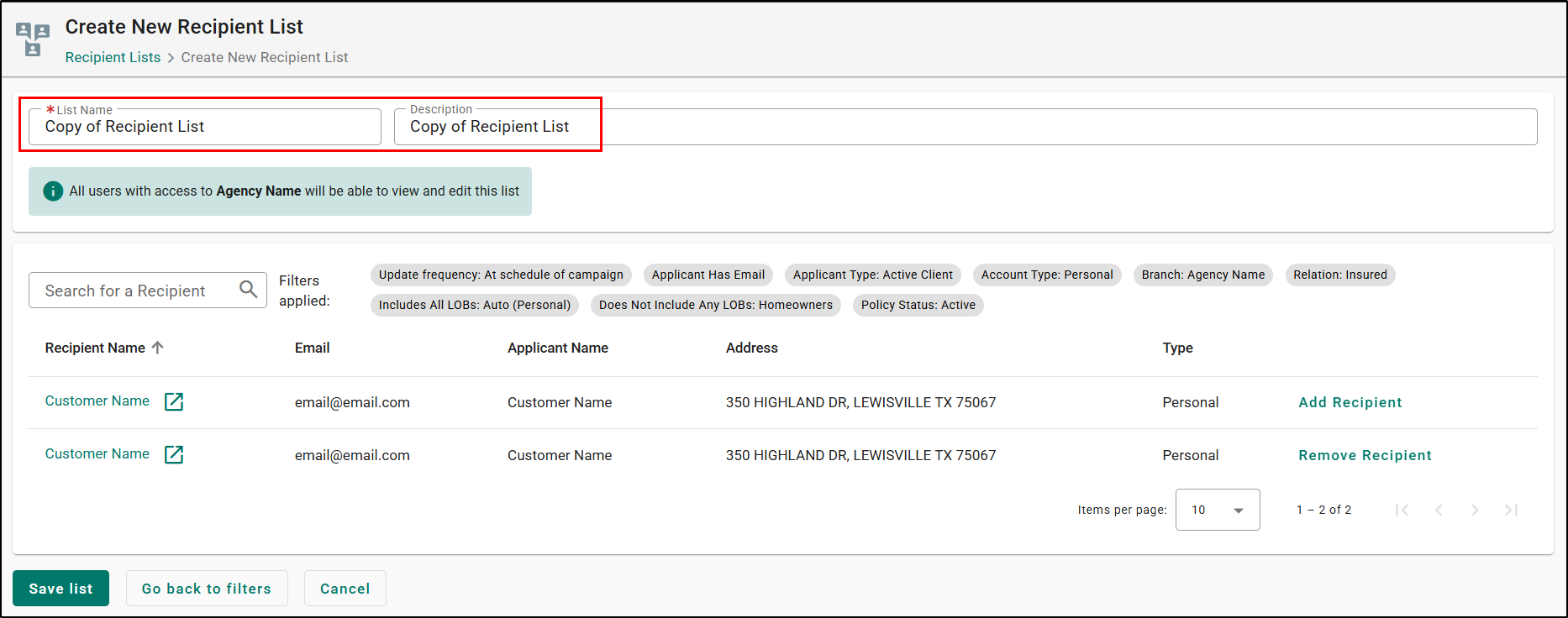
- Copy List Workflow Enhancements:
- When copying a recipient list, any manually removed recipients are preserved in the copied list.
- Recipient updates occur only if new list criteria validate changes.
- Manually removed recipients remain removed unless explicitly added back.
- Agents may add or remove recipients before saving the copied list.
- When a saved list is viewed, users will be able to see which users were manually removed and sort by status.
We hope you are excited for this new feature and look forward to our future releases. Please let us know if this article was helpful in learning about the new feature by answering the question below. Check out our related articles on the right-side of the page to learn more about EZLynx!
Did you find it helpful? Yes No
Send feedback