Create Package Enhancements
Modified on: Thu, 15 Jan, 2026 at 7:14 PM
In previous updates, we introduced the Create Package feature to resolve an issue with the legacy EZLynx system. The problem was that packages were being split into individual policies during the download process. We solved this problem by creating a feature that combines these policies into a package. Now, in this latest update, we are enhancing the Create Package feature by removing certain restrictions.
TABLE OF CONTENTS | Check out our video if you'd rather watch and follow along!  |
 | Did you know? - You can click on the images in our articles to zoom in. |
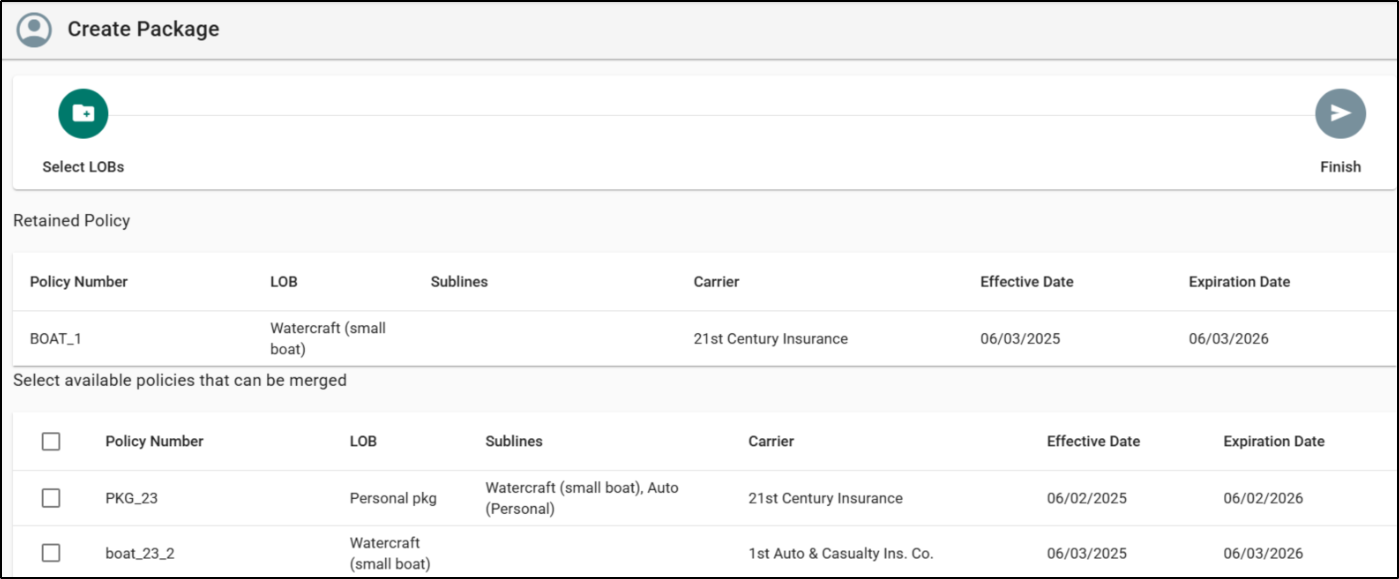
Matching Criteria Updates
- Policies must meet these criteria:
- Belong to the same account/applicant.
- Share the same policy type (Commercial or Personal).
- Policy Number is no longer required to match.
- The master company requirement has been removed.
- The policy used to start the workflow must be Active.
- During the merge, you may select Active or Inactive policies from the “Available policies that can be merged” list.
Simplified Workflow
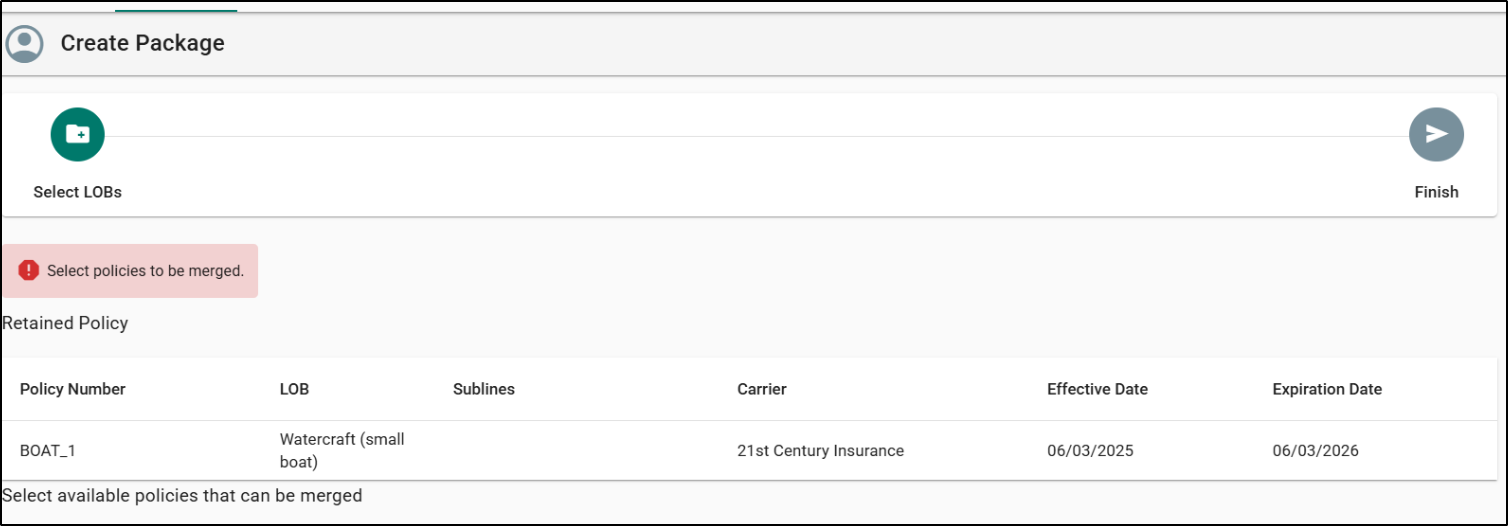
- We removed the “Select Primary LOB” step from the workflow to simplify the process.
- A new “Retained Policy” section now appears in Step 1 of the workflow.
- The policy you start the workflow from—selected on the Overview page—is automatically treated as the Retained Policy.
- The Retained Policy becomes the primary policy in the package.
- To change the Retained Policy, you must begin the workflow from a different Active policy.
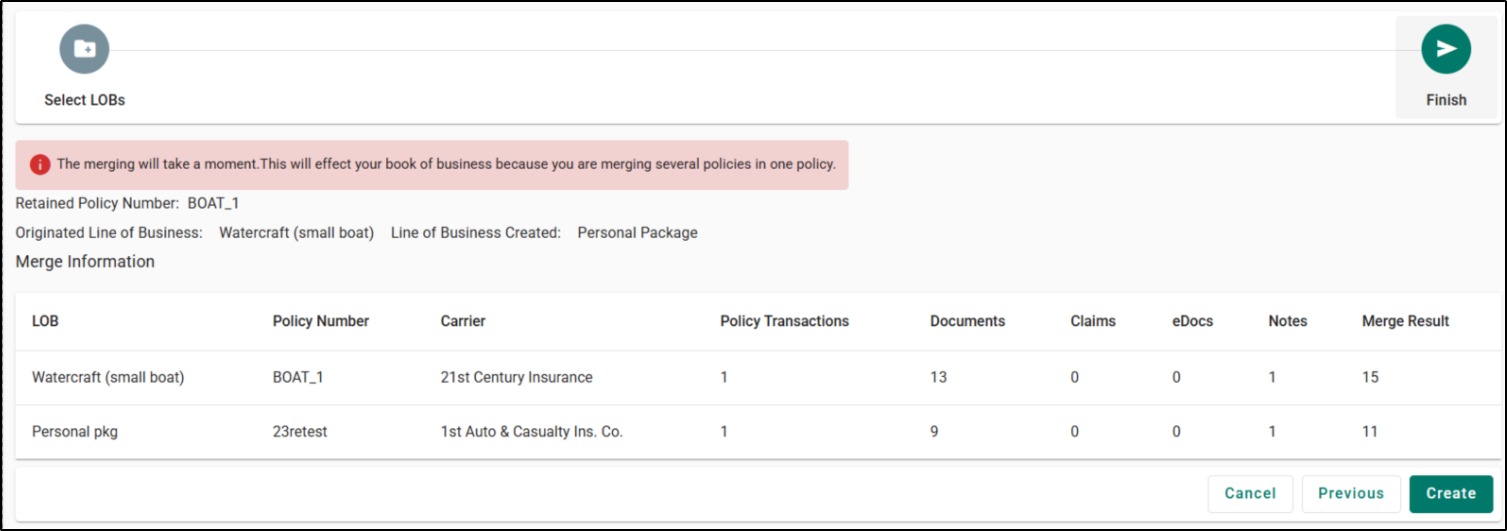
Step 2 of the workflow: Finish
- A summary table shows all selected policies/packages (active and inactive) to be merged.
- Columns include Policy Number | Carrier | Master Company Name | Order | LOB | Documents | Claims | eDocs | Notes | Merge Result.
- Retained Policy info is shown as:
- Retained Policy Number (matches selected policy).
- Originated Line of Business (formerly “Primary Policy”).
- Line of Business Created (“Commercial/Personal Package”).
- Inactive policies/packages appear as transaction history in the package.
The resulting package policy number will always match the Retained Policy’s number.
Restrictions & Validation
- You cannot create packages on inactive policies/packages.
- If only one policy exists in the account, the Create Package option is hidden.
- You cannot create a package when two monoline policies have the same LOB.
- You will see the error: “Identical line of business needs to be merged.”
- These LOBs must be merged before creating the package.
All other existing restrictions and validations remain unchanged.

We hope you are excited for this new feature and look forward to our future releases. Please let us know if this article was helpful in learning about the new feature by answering the question below. Check out our related articles on the right-side of the page to learn more about EZLynx!
Did you find it helpful? Yes No
Send feedback