User Settings Role Details
Modified on: Thu, 15 Jan, 2026 at 7:12 PM
We’re excited to announce that with this release, you are now able to personalize your EZLynx experience even further! The new Role Details section in User Settings empowers you to select the role that best matches your daily tasks. This enhancement is designed to help us tailor future improvements to your unique needs, making EZLynx smarter and more intuitive for every user.
TABLE OF CONTENTS | Check out our video if you'd rather watch and follow along!  |
 | Did you know? - You can click on the images in our articles to zoom in. |
What's in it for me?
By making your role visible in your profile, we’re laying the groundwork for more targeted features and communications—so you get the most relevant tools and updates, every time you log in.
- Personalized Experience: Selecting your role helps us deliver features and updates that matter most to you.
- No Impact on Permissions: Your selection is for personalization only—your access and permissions remain unchanged.
- Clear Guidance: Helpful microcopy ensures you know exactly how your information is used and what to expect.
Accessing the Feature
To access this new feature,
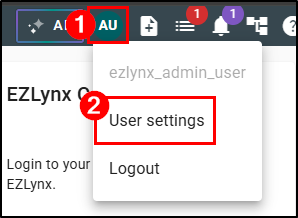
- Select your Profile icon in the top-left.
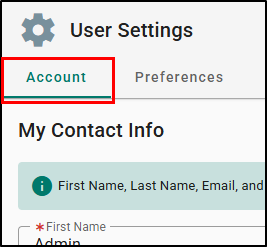
- Choose User Settings. This will take you to the User Settings page where you'll land on the Account tab.
 |  |
On the Account tab, there is a new info box that provides clear, concise information on how your contact information will be used within the system.
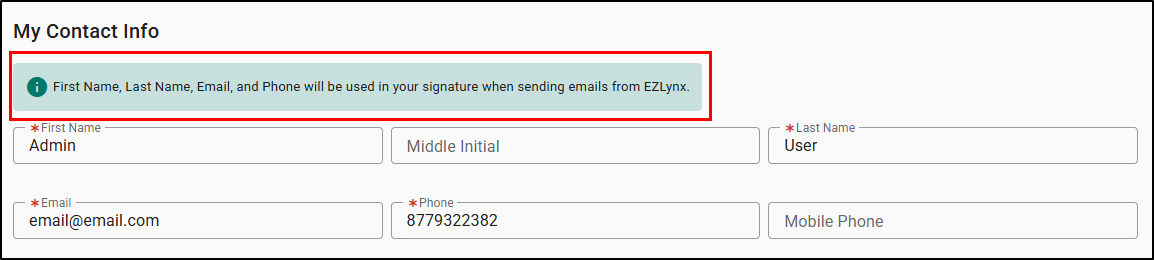
Underneath the My Contact Info is a new section Role Details.
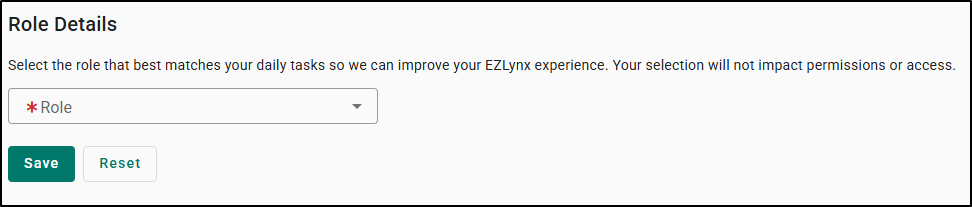
Role Details
The new section Role Details allows you to select the role that best matches your daily tasks from a predefined list under the Role dropdown:
| 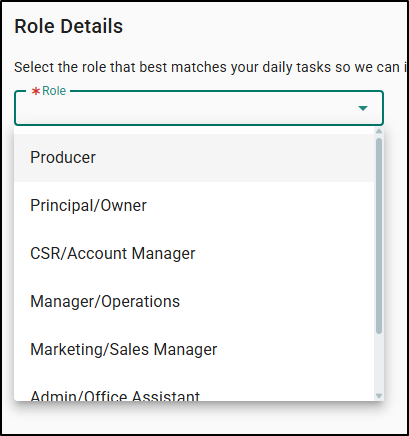 |
Once you've selected your role, don't forget to Save.
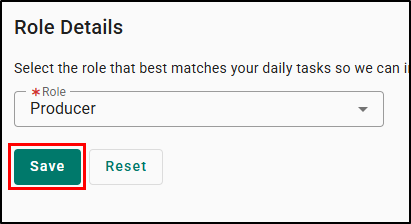
 | Please Note - The Role field is a required field and must be filled out to save any changes on the User Settings' Account tab. |
Practical Applications
Below are some ways you will find these updates useful:
Personalize Your Experience
- Selecting your role helps EZLynx better understand how you use the platform, paving the way for more relevant features and communications in the future.
Contribute to Product Improvements
- Your role selection provides valuable insights that guide our development team in building enhancements that matter most to you and your agency.
Stay Informed
- By sharing your role, you’ll help us ensure that future updates, tips, and announcements are more closely aligned with your day-to-day responsibilities.
We hope you are excited for this new feature and look forward to our future releases. Please let us know if this article was helpful in learning about the new feature by answering the question below. Check out our related articles on the right-side of the page to learn more about EZLynx!
Did you find it helpful? Yes No
Send feedback