Cyber Liability Lob Entry Screen Modernization
Modified on: Tue, 17 Mar, 2026 at 5:29 PM
We are pleased to announce the modernization of the Cyber Liability Line of Business (LOB) entry screen for Commercial Lines applicants, delivering a major upgrade to the application's look and functionality.
This update focuses on workflow efficiency, clear organization, and data accuracy, supporting the needs of agents and underwriters managing commercial cyber policies. The new design mirrors recent enhancements in GL, BOP, and Commercial Auto, ensuring a consistent experience across Commercial Lines products.
Our goal is to provide you with an intuitive platform that minimizes complications and maximizes efficiency, ensuring a seamless workflow for all your data needs.
TABLE OF CONTENTS
 | Did you know? - You can click on the images in our articles to zoom in. |
What's in it for me?
Modern, Intuitive Layout
- We have revamped the Cyber Liability LOB with a contemporary and streamlined design, aimed at enhancing your experience in data capturing. This redesign not only simplifies the interface but also optimizes functionality, allowing you to input and manage information effortlessly.
Streamlined Data Entry
- Each section contains logically grouped questions and fields, with validation to ensure all required information is captured before proceeding. Navigation between sections is seamless, with progress and unsaved changes clearly indicated.
Dynamic Fields and Conditional Logic
- Selecting certain options dynamically reveals additional fields or requirements, making the form responsive to user input and reducing clutter.
Accessibility and Support
- All fields meet accessibility standards and include help icons or tooltips for complex or regulated fields.
How It Works
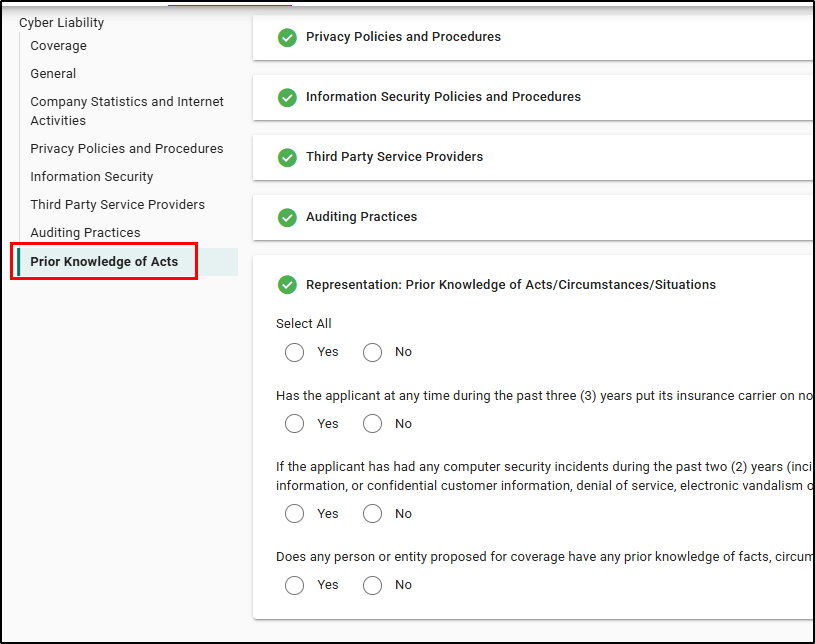
The Cyber Liability Entry Screen now features a clearly organized structure, logical section order, and collapsible sections. The navigation sidebar or breadcrumbs let you jump directly to any section, with the current section visually highlighted for easy orientation.
All major sections are presented in the following order for efficient workflow:
- Coverage
- General
- Company Statistics and Internet Activities
- Privacy Policies and Procedures
- Information Security
- Third Party Service Providers
- Auditing Practices
- Prior Knowledge of Acts
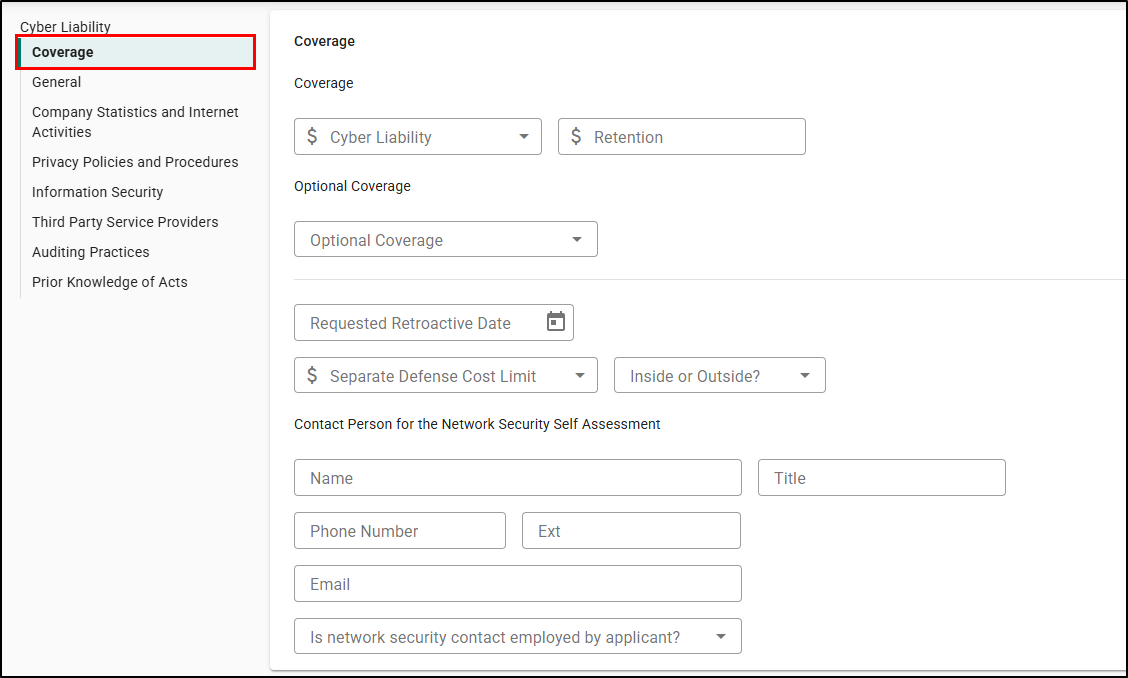
Coverage & Coverage Extensions & Network Security Contact
- Expanded by default, this section enables efficient entry of primary coverage information, including limits, deductibles, dates, and coverage options. Optional coverages are clearly grouped, and all required fields are validated.
- Capture details on coverage extensions (e.g., Social Engineering, Regulatory Proceedings) and designate a network security contact with validated contact information.
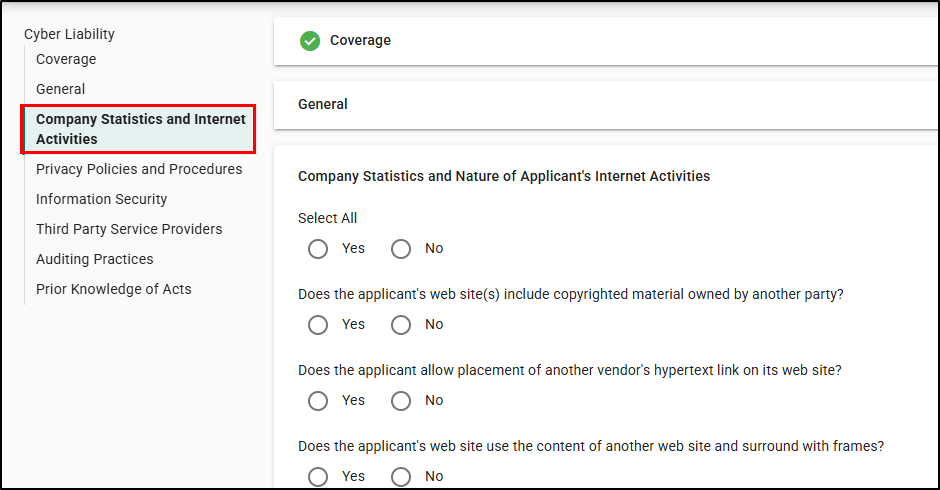
Company Statistics and Internet Activities
- Enter company size, industry, revenue, employee count, and internet activity details, all grouped for logical navigation and validation.
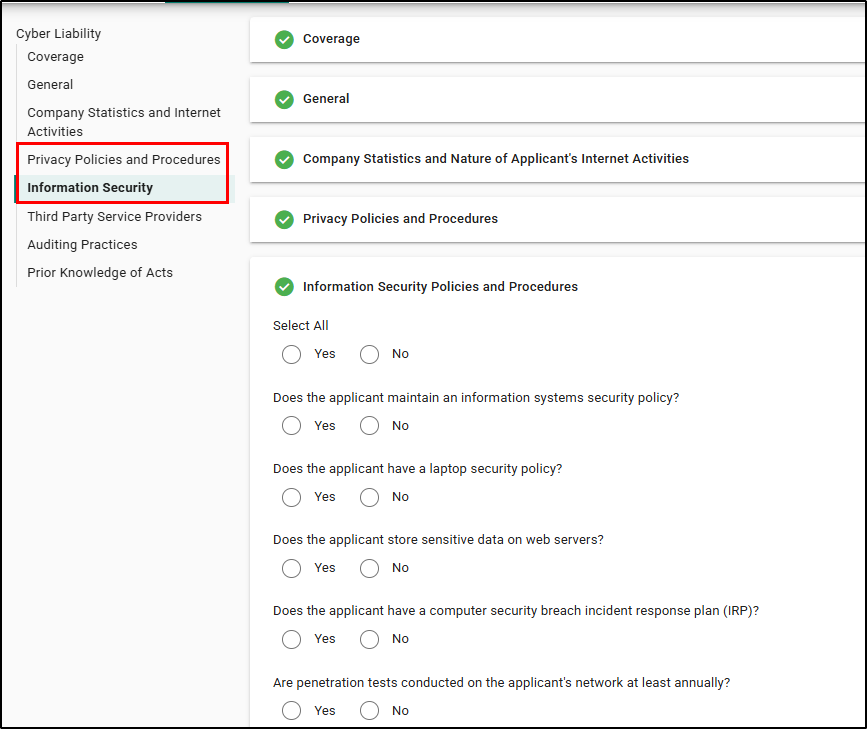
Privacy and Information Security Policies
- Structured questions address privacy and information security procedures, with conditional fields for additional details as needed.
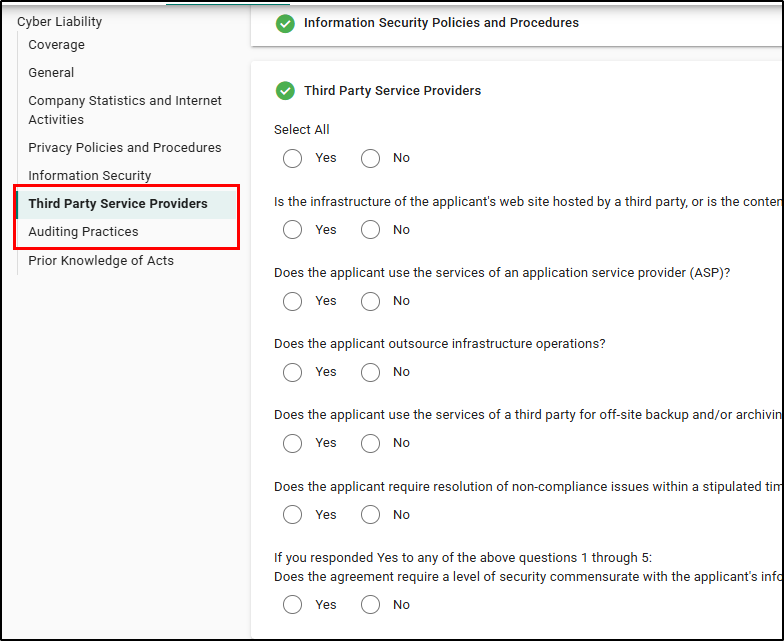
Third Party Service Providers & Auditing Practices
- Record third-party vendor details, upload supporting documents for audits, and ensure complete documentation of outsourcing and auditing practices.
Representation: Prior Knowledge of Acts
- Declare any known acts, errors, or omissions, with tooltips providing clear guidance on disclosure requirements.
Practical Applications
Simplified Data Capture
- The enhanced interface reduces errors, increases productivity, and improves customer service by streamlining the entry of critical policy information.
We hope you are excited for this new feature and look forward to our future releases. Please let us know if this article was helpful in learning about the new feature by answering the question below. Check out our related articles on the right-side of the page to learn more about EZLynx!
Did you find it helpful? Yes No
Send feedback