Streamlined Certificate Experience
Modified on: Thu, 11 Jun, 2026 at 5:44 PM
Certificates are a critical part of commercial insurance—and now, managing them is faster, easier, and more flexible than ever. With this release, EZLynx delivers a streamlined certificate experience with:
- Quick-access to Edit, Copy, and Renew buttons; updated card selection component; per-card actions menu; and "Unknown" category cleanup.
- New Archive category, archive/restore actions with confirmation dialogs, read-only archived masters, and system log tracking.
- New Distribute dropdown with three methods: Distribute to holders, Email insured, Download. Includes clearer confirmation modals.
- Consolidated "Add Master Details" step, searchable saved remarks, direct Preview PDF shortcut, in-preview holder switching, and sortable policy table.
- Select All (across all pages), configurable items-per-page, sort by Sent Date, Export holders, and Distribution History access.
- Single PDF downloads are no longer downloaded in a zip file, cleaner Certificate Master folder behavior, and date/time tooltips.
- Support for Liquor Liability, Inland Marine, and Employer Practices Liability lines of business on ACORD 25.
These enhancements are designed to help agencies support more lines of business, manage high volumes of certificate holders, and complete certificate work with fewer steps and less friction.
TABLE OF CONTENTS
- What's in it for me?
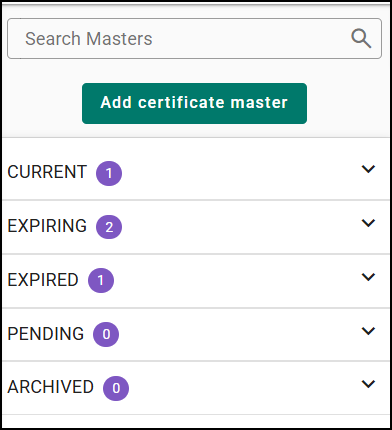
- Cleaner Certificate Categories
- Redesigned Certificate Overview
- New Distribution Bulk Action
- Stepper Workflow Improvements
- Sort Holders by Sent Date
- New Archive and Restore Category
- New Distribute Bulk Actions on certificate overview
- ACORD 25 Support for 3 new LOBs
- Consistent ACORD 30 Workflow Experience
- Practical Applications
 | Did you know? - You can click on the images in our articles to make them bigger! |
What's in it for me?
- Generate certificates faster with fewer clicks: Common actions like Edit, Copy, Renew, Preview, and Distribute are easier to access, helping you respond to certificate requests quickly—especially when time is tight.
- Handle more complex coverages with confidence: Expanded support for additional lines of business means fewer workarounds and less manual cleanup when issuing certificates for specialized commercial policies.
- New distribution options available: Users can now distribute certificates to the insured instead of the certificate holder; in addition, users have the option to export certificates in bulk regardless of distribution method.
- Manage large holder lists more efficiently: Bulk selection, better sorting, quicker access to export cert holders, and distribution history make it easier to work with high-volume certificate holders without losing track of what’s been sent.
- Spend less time on file cleanup: Cleaner downloads, optimized zip file generation, document organization reduce confusion and make it easier to find and share the right certificate when clients ask.
Cleaner Certificate Categories
The Unknown category now appears only when there are certificates that truly belong in that category. If no qualifying certificates exist, the category is hidden—keeping your certificate list cleaner and easier to scan.
Redesigned Certificate Overview
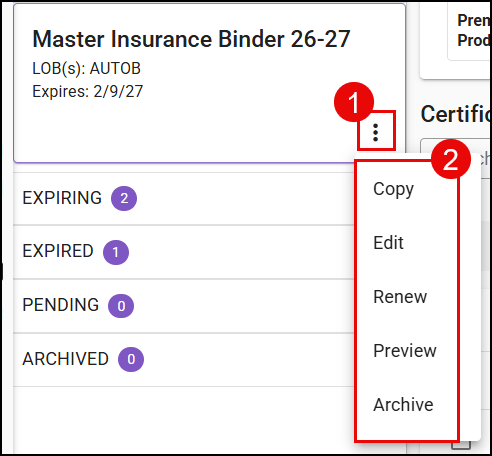
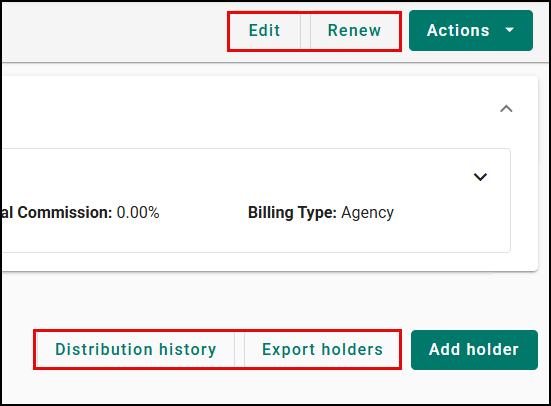
The Certificate Overview has been redesigned to help you act faster. Common actions like Edit, Renew, Export Holder, and Distribution history have been exposed on the master certificate for quicker access to existing options. In addition, we have introduced an improved certificate card layout, making it easier to take action on a given certificate.
 |  |
New Distribution Bulk Action
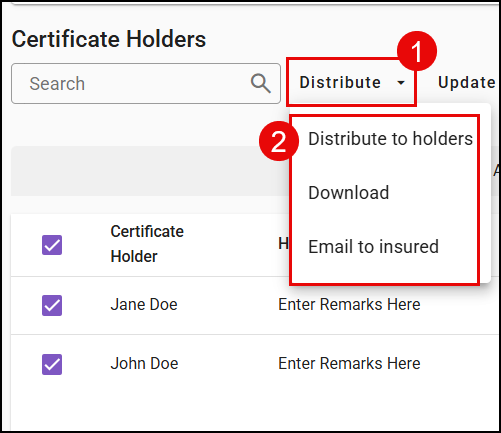
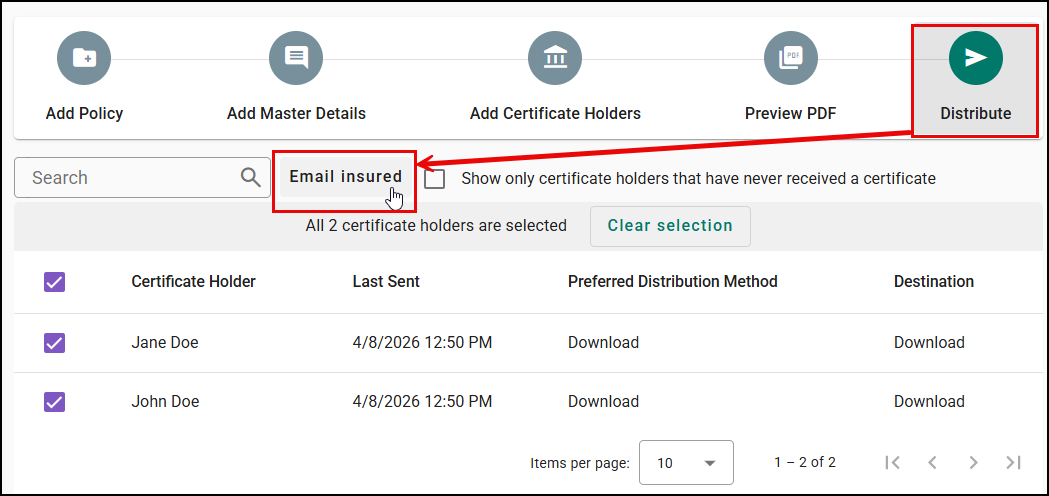
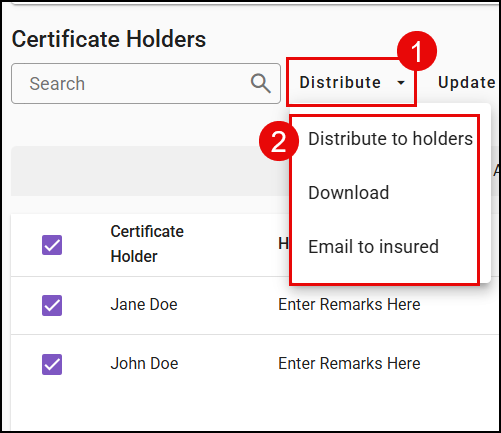
Distributing certificates is now simpler and more consistent with a dedicated Distribute dropdown. From the overview page, you can choose to Distribute to holders, Email insured, or Download certificates, supported by clearer confirmation modals and consistent language so you can confidently complete the right action every time.
We've also added an option to Email to Insured on the last step of the stepper workflow.
 |  |
Stepper Workflow Improvements
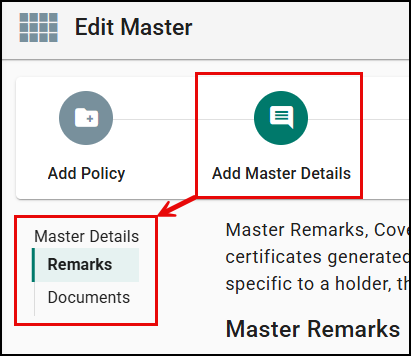
Master remarks & coverages and Master Documents steps have now been consolidated into a single step. The goal is to allow all optional configurations to live in a single step, reducing the number of steps the users needed to navigate in the workflow.
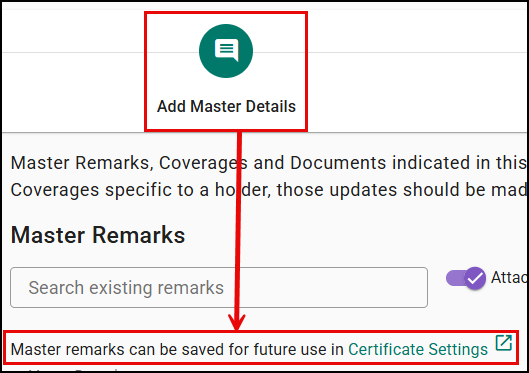
In addition, we have introduced language and a link educating customers that they can configure reusable master remarks in Settings.
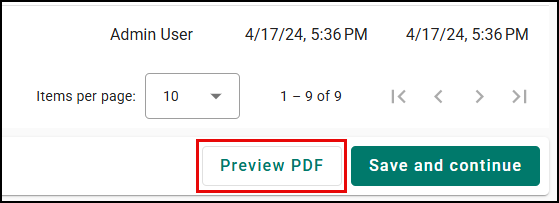
In Step 2 of the workflow, users can now jump straight to Preview PDF reducing the number of clicks needed to take to preview the certificate itself.
Policy tables are now sortable by key columns—including Policy Number, Line of Business, Status, and Expiration Date—making it easier to quickly find, review, and confirm the right policy information before moving forward.
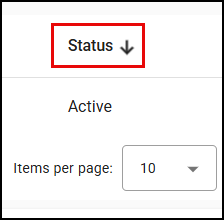
Sort Holders by Sent Date
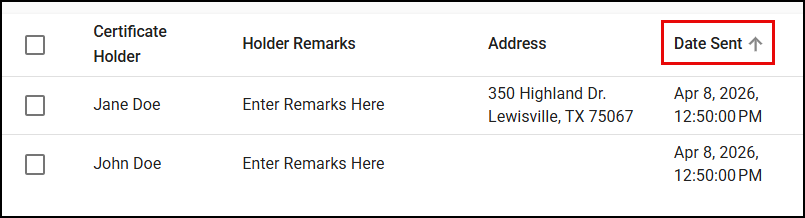
Certificate holders in the Certificate Overview can now be sorted by Date Sent, making it easier to quickly see the most recently distributed certificates and track delivery activity at a glance.
New Archive and Restore Category
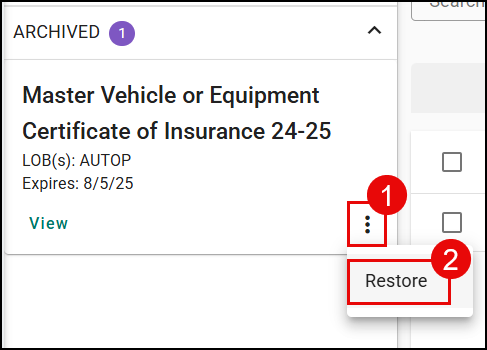
We are introducing a new ‘Archive’ action on certificate master to allow users to remove certificates that cannot be deleted from the Current list view to avoid confusion. Users have the option to restore the certificate at any point.
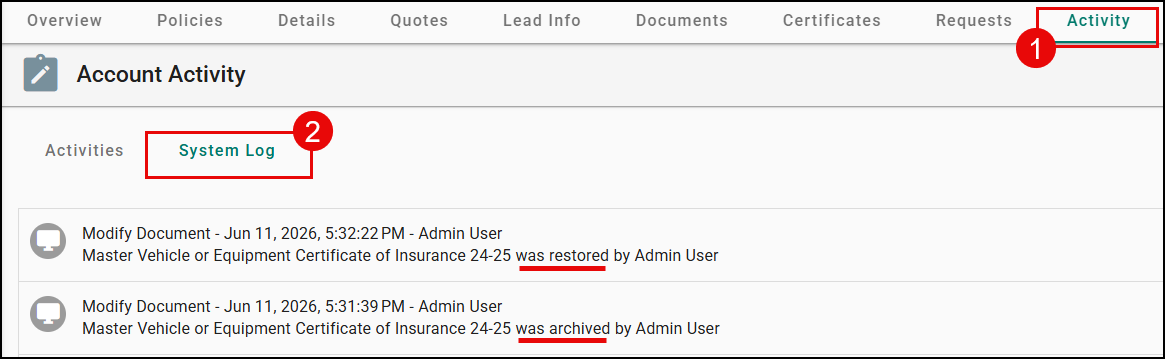
Archive and restore are logged under ‘Activity’ to see details.
 |  |
New Distribute Bulk Actions on certificate overview
- Distribute to holders: Quickly send certificates to one or multiple selected holders in a single action, with each distribution tracked in the system for visibility.
- Download: Download certificates for one or multiple holders directly from the Certificate Overview regardless of the Certificate Holder distribution method, with each download recorded as a distribution event for tracking.
- Email to insured: Share certificates directly with the insured from the Certificate Overview for one or multiple holders, with each email activity tracked as a distribution event.
ACORD 25 Support for 3 new LOBs
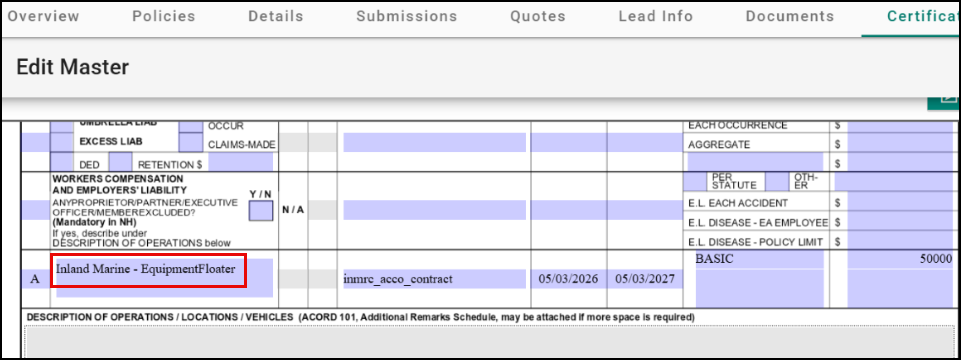
The following new lines of business (LOBs) are now supported on ACORD 25, allowing core details like insurer information, policy number, carrier name, effective and expiration dates, and coverage limits to be auto‑filled—helping you quickly generate accurate certificates without manual input.
- Inland Marine
- Liquor Liability
- EPLI
Please note, Inland Marine LOB can have different Class of Business (Motor Truck Cargo, Transportation, Equipment Floater, etc).
- We will display the name of the Class of Business if there is coverage information.
- If no class of business has been selected, or a class of business has been selected but no coverage information entered in the policy, we will only display the line of business name of Inland Marine.
- In the case, two (or more) Class of Business are selected, we will only show the Class of Business name for the coverages that are displayed on the form.
Consistent ACORD 30 Workflow Experience
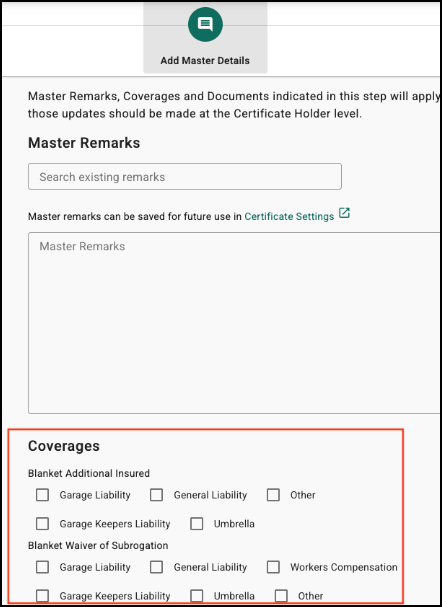
The ACORD 30 certificate workflow now aligns with other certificate types, providing a consistent experience when adding Master Remarks and Coverages. Users can also select options like Blanket Additional Insured and Waiver of Subrogation, making it easier to complete certificates.
Practical Applications
Turn around certificate requests faster—especially under time pressure
- CSRs and agents can quickly respond to rush certificate requests using faster workflows like quick actions (Edit, Copy, Renew), direct Preview PDF access, and bulk distribution options (to holders, email insured, or download). Combined with reusable remarks and auto-populated ACORD forms, this reduces manual steps and helps get certificates out the door much faster.
Manage high-volume certificate holders with better visibility and control
- When working with large holder lists, users can now select holders across pages, sort by Sent Date, export holder data, and view distribution history—all in one place. This makes it much easier to track what has been sent, identify recent activity, and confidently manage ongoing certificate requests without losing visibility.
Reduce errors and rework before sending certificates
With improved preview capabilities, sortable policy tables, and consolidated master details, agents can review and validate certificate information more effectively before distributing. Auto-populated Inland Marine, Liquor Liability, and EPLI support across ACORD forms further reduces manual entry errors, helping ensure certificates go out accurate the first time.
We hope you enjoy these enhancements and look forward to our future releases. Please let us know if this article was helpful in learning about these new enhancements by answering the question below. Check out our recommended articles on the right to learn more about EZLynx!
Did you find it helpful? Yes No
Send feedback