Disabled User Communication Safeguards
Modified on: Thu, 11 Jun, 2026 at 7:01 PM
When a team member leaves or is disabled in EZLynx, communications tied to that user could still go out to your customers — creating confusion, compliance risks, and a poor customer experience. This release solves that problem by giving your agency the tools to manage disabled user activity with confidence.
Whether it's emails, texts, campaigns, or automated workflows, EZLynx now ensures that no outbound message is ever sent appearing to come from someone who is no longer part of your team.
With new settings in Agency Admin, proactive warning messages across the platform, and clear error tracking in Automation Center, your agency can stay compliant, protect your brand, and maintain customer trust — all without missing a beat.
TABLE OF CONTENTS
 | Did you know? - You can click on the images in our articles to make them bigger! |
What's in it for me?
- Stay compliant: Prevent messages from being sent under the name of someone who no longer works at your agency
- Protect your brand: Ensure every customer touchpoint reflects your current, active team
- Choose what works for you: Decide whether to skip or reassign a disabled user's activities with a simple setting
- No surprises: Receive clear warnings before taking actions that involve a disabled user, so you can make informed decisions
- Full visibility: Track exactly what happened — and why — when an action is skipped or fails due to a disabled user
How it works
Here's how the Disabled User Communication Safeguards feature works across your EZLynx platform:
Setting Up Your Preferences in Agency Admin
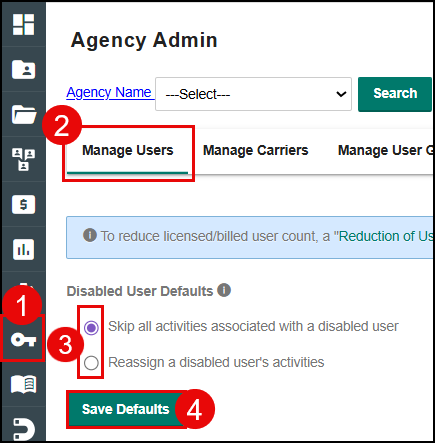
1. Navigate to the Agency Admin page.
2. Select the Manage Users tab.
3. Choose one of two options:
- Skip all automated activities associated with a disabled user (this is the default)
- Reassign a disabled user's activities to an active user of your choice
4. Select the Save Defaults button.
An info icon is available next to the setting to explain how each option works.
 |  |
Warnings When Disabling a User
When you disable a user, a warning dialog now appears explaining what will happen to that user's activities based on your current setting
Skip Setting 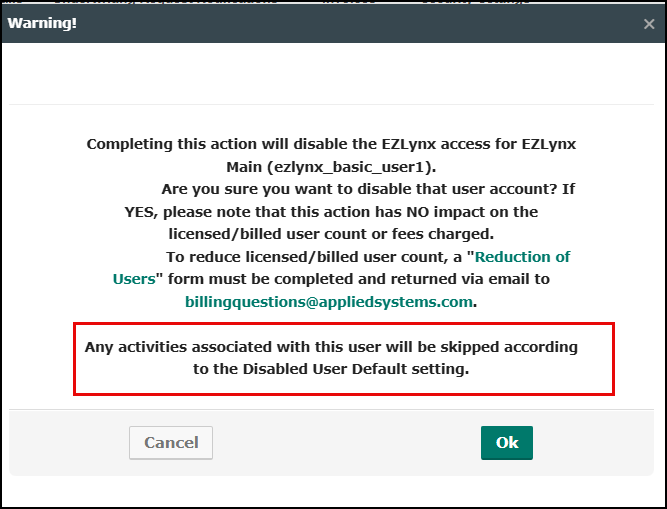 | Reassign Setting 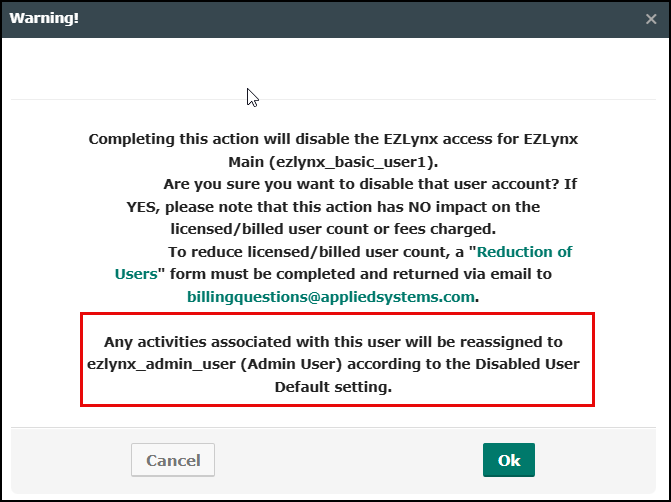 |
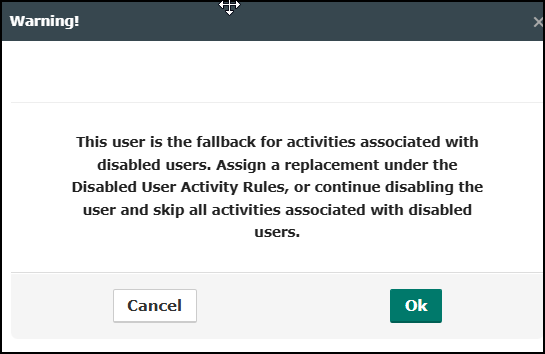
If the user you are disabling is already set as the reassignment fallback, you'll receive an additional warning prompting you to assign a replacement before proceeding.
Safeguards Across Communication Channels
We've added new proactive messaging around EZLynx to help you understand what will happen if you skip or reassign when disabling a user associated with a communication.
Email Campaigns
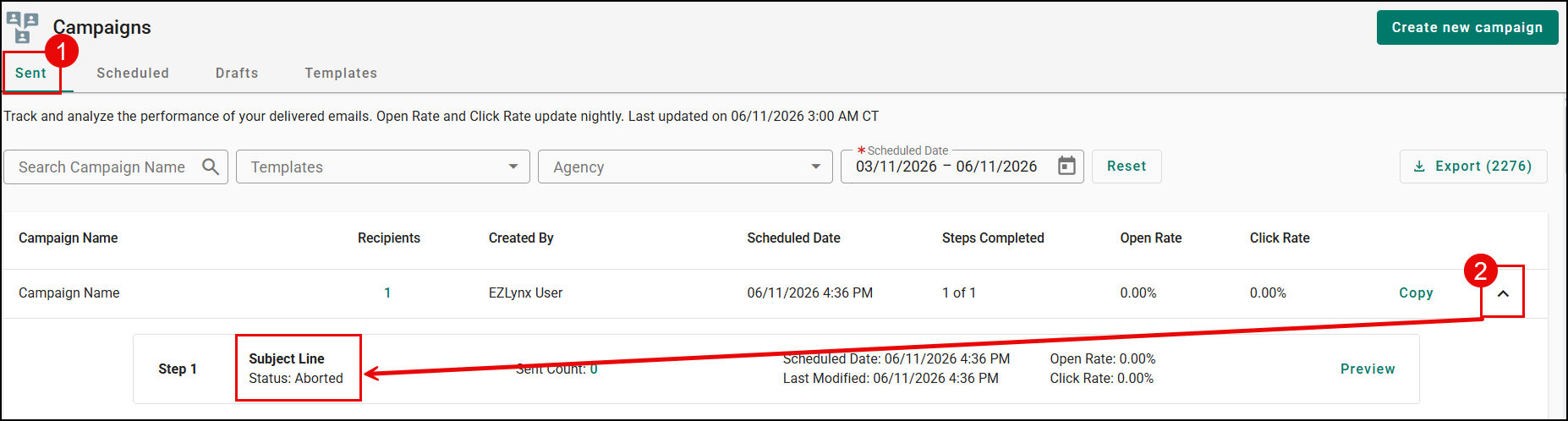
If an email campaign with a template that has a smart tag tied to a disabled user is scheduled, you will see that the email campaign has a status of "Aborted" under the Sent tab for Email Campaigns.
One-Off Emails
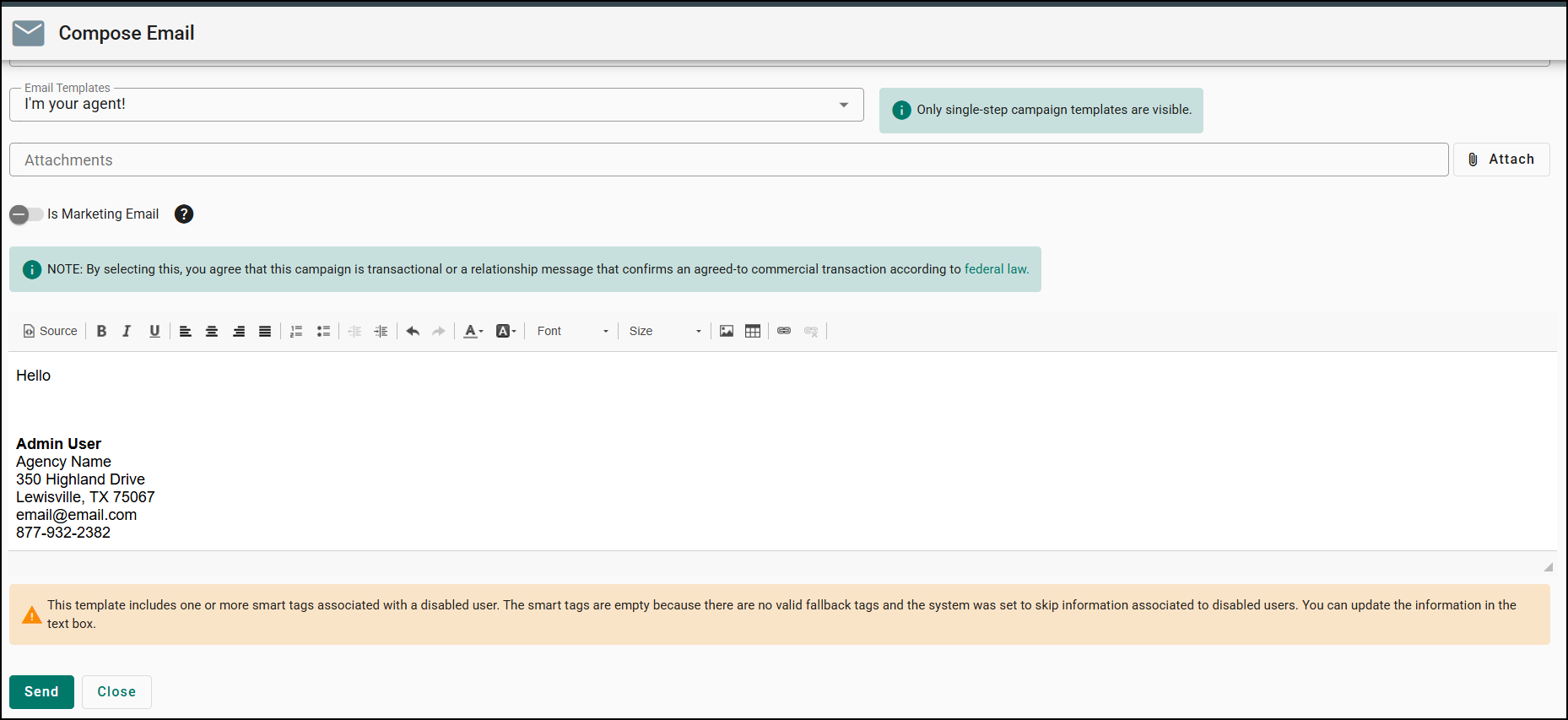
The same smart tag alerts appear when composing individual emails using affected templates
Text Templates
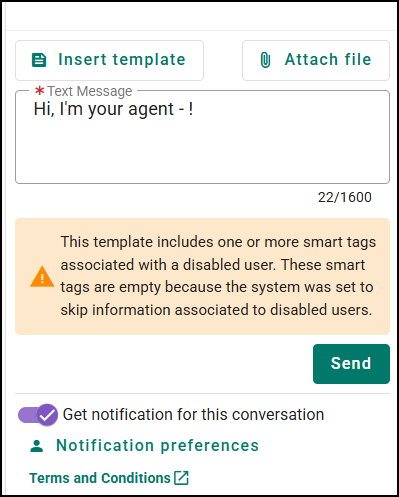
When selecting a text template with smart tags for a disabled user, a warning lets you know the impact before sending the text message.
Automation Center
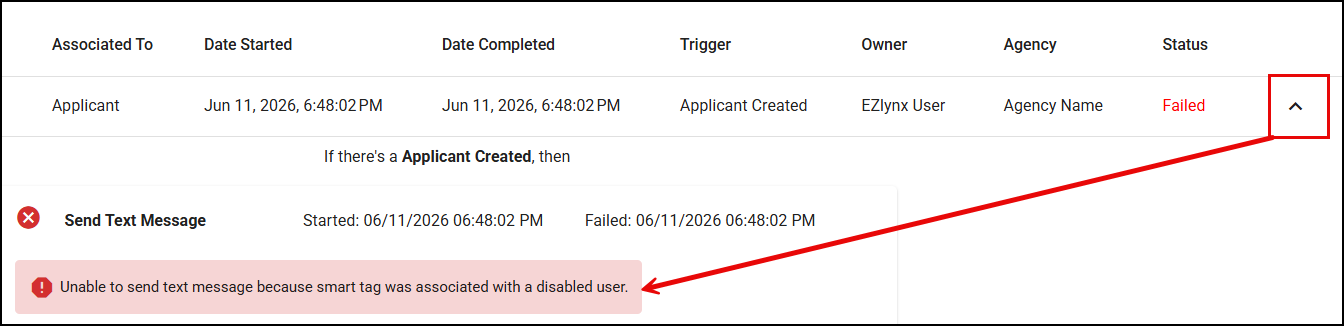
If an automated action (email, text, document generation, or opportunity assignment) is skipped due to a disabled user, a clear error message is recorded in the History page of Automation Center
Practical Applications
- Seamless staff transitions: When a team member departs, simply disable their account and let EZLynx handle the rest. With the reassign setting enabled, all automated communications seamlessly shift to an active team member — no manual cleanup required.
- Compliance-ready campaign management: Before launching a new email or text campaign, EZLynx proactively alerts you if any templates reference a disabled user. This helps your agency stay audit-ready and ensures every customer communication comes from a verified, active representative.
- Proactive Automation Center monitoring: Use the History page in Automation Center to quickly identify any workflows that were impacted by a disabled user. The detailed error messages make it easy to diagnose issues and take corrective action, keeping your automated processes running smoothly.
We hope you enjoy these new features and look forward to our future release for more updates. Please let us know if you found this article helpful in learning about these new features by answering the question below. Check out our other articles on the right to learn more about EZLynx!
Did you find it helpful? Yes No
Send feedback