Reporting 5.0 Enhancements
Modified on: Thu, 18 Jun, 2026 at 4:35 PM
We’re excited to announce that with this release, you can now find the right report faster, start with more meaningful defaults, and segment your data in new ways.
These updates apply specifically to Reports 5.0, which continues to expand alongside legacy reports as agencies transition. Improvements in this release focus on:
- How reports are organized and described in the Reports 5.0 library
- How key report views open with more relevant default columns
- Additional segmentation fields like Labels and Preferred Language in Reports 5.0 where supported
TABLE OF CONTENTS
- What's in it for me?
- Find the right report faster
- Start with more familiar default report columns
- Segment and filter results
- Export results
- Use Support Portal resources
- Practical Applications
 | Did you know? - You can click on the images in our articles to make them bigger! |
What's in it for me?
For most agencies, reporting is not a “nice to have”; it is how you keep business moving. It helps you stay ahead of renewals, ensure follow up happens, spot trends early, and answer leadership questions without pulling people off the phones.
This release focuses on removing friction once you are inside Reports 5.0. Instead of guessing which report to open, the library helps you recognize the right report faster. Instead of starting from a view that feels incomplete, report defaults now better match what agencies relied on in legacy reporting. This reduces the “where did that column go?” problem and speeds up time to insight.
Agencies also need more precise segmentation. Whether tracking groups of customers through Labels or filtering by Preferred Language, Reports 5.0 supports more actionable insights without relying on spreadsheets when those fields are available.
Updated Support Portal content also makes it easier to learn key workflows such as getting started, filtering, dashboards, and exporting.
Find the right report faster
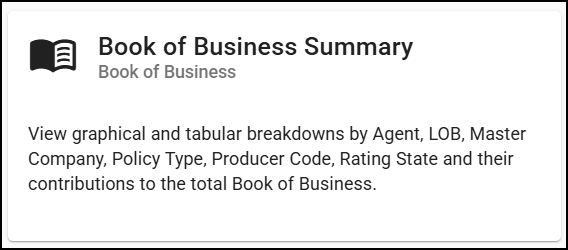
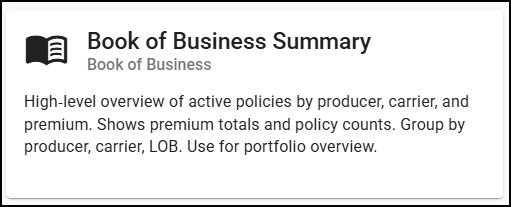
The Reports 5.0 library uses clearer organization and improved report cards to help you quickly understand what each report is for. This reduces trial and error, avoids unnecessary clicks, and improves the experience for both new and experienced users.
| Before | After |
|---|---|
 |  |
Start with more familiar default report columns
Reports now open with default columns aligned to the high-value fields agencies commonly used in legacy reporting. The first view is more useful immediately, reducing setup time before getting to insights.

Segment and filter results
We've added support for additional segmentation fields for both Labels and Preferred Language in Reports 5.0. Let's check out each field!
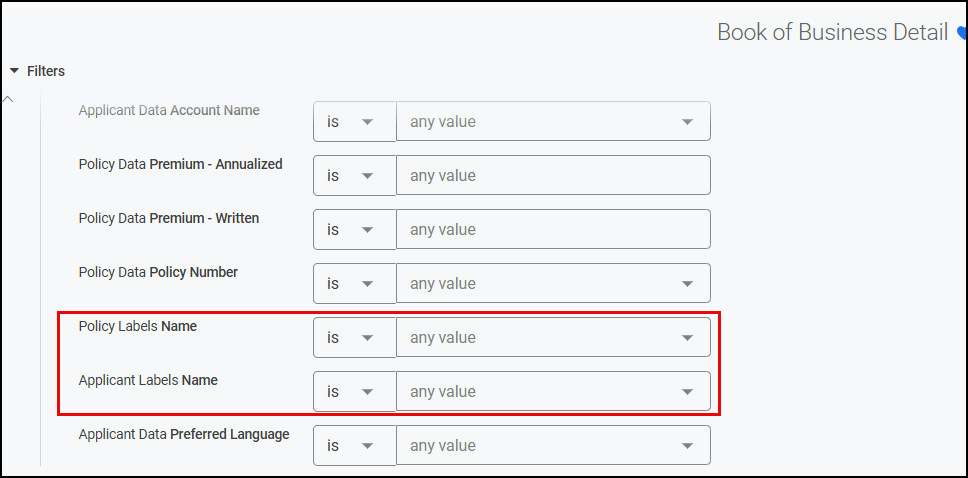
Labels (Applicant & Policy reporting)
Use Labels to filter and view results in a way that reflects how your agency categorizes work. This includes both standard and agency-created labels.
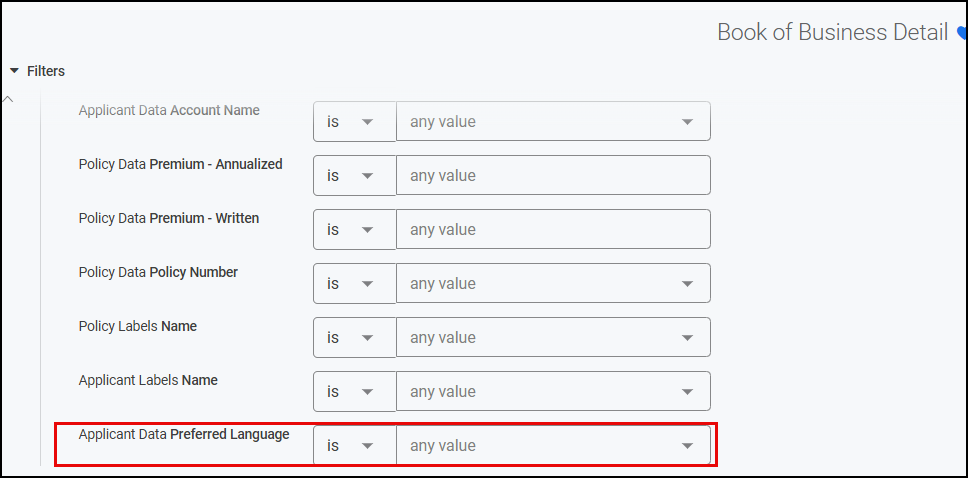
Preferred Language
Use Preferred Language as both a column and a filter. This allows your agency to segment results by language preference and export that information when needed. Access follows existing security rules.
Export results
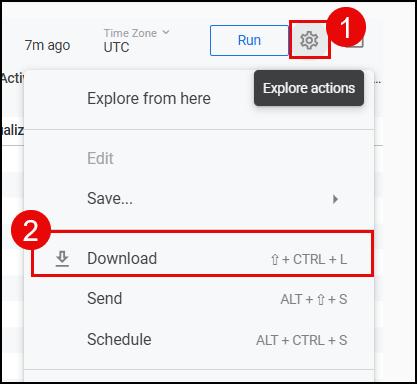
Reports 5.0 supports exporting data for sharing, auditing, or offline workflows. You can export the full report or individual visuals depending on your needs.
Use Support Portal resources
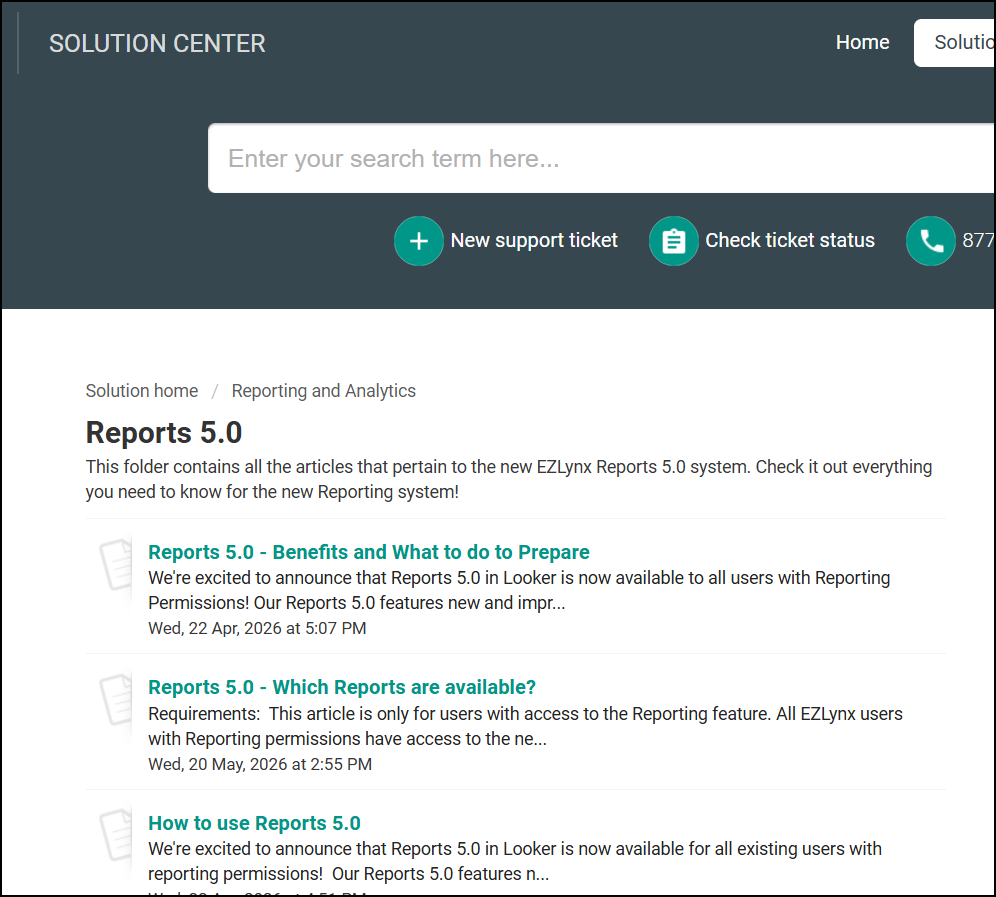
Reporting guidance is available in the EZLynx Solution Center, including topics such as getting started, navigating the interface, and exporting results. These resources are useful for training new users and standardizing workflows.
Practical Applications
Here are high-impact workflows agencies can adopt immediately.
1) Daily Service & Follow‑Up Control
Use Reports 5.0 as a daily operational dashboard:
- Start the day with a consistent follow up view
- Use Labels to segment worklists such as renewals, VIPs, or service recovery
- Export filtered results to coordinate ownership across teams
2) Renewal & Retention Preparation
Make renewal planning more proactive:
- Quickly locate renewal-focused reports using improved discovery
- Segment pipelines using Labels to prioritize outreach
- Export snapshots for leadership reviews and planning
3) Language‑Aware Customer Experience
Align communication with customer preferences:
- Filter by Preferred Language to understand your book of business
- Export lists for staffing, routing, or outreach planning
4) Standardize Reporting Across the Agency
Reduce inconsistency:
- Use clearer report descriptions to define standard reports
- Use Support Portal guides to train consistent workflows
5) Leadership Insights Without Busywork
Answer “how are we doing?” faster:
- More meaningful defaults reduce report prep time
- Export clean snapshots for recurring leadership updates
We hope you enjoy these enhancements to Reports 5.0 and look forward to our future releases. Please let us know if this article was helpful in learning about the new enhancements by answering the question below. Check out our other articles on the right to learn more about EZLynx!
Did you find it helpful? Yes No
Send feedback