Submission Create From Forms
Modified on: Thu, 20 Aug, 2026 at 11:43 AM
We’re excited to announce that with this release, you are now able to create a commercial submission directly from an ACORD form, without re-keying a single field. When you are working a commercial ACORD form for a commercial applicant, a new “Create submission & save” button lets you save your form and start a fully populated submission in one step.
TABLE OF CONTENTS
What's in it for me
- One step from form to submission: Turn a completed commercial ACORD form into a started submission with a single click, instead of manually creating the submission and copying details across.
- No re-keying: The new submission is pre-filled with your form data and the correct Line of Business, so you begin from a populated application rather than a blank one.
- Smart defaults that save clicks: Submission title, Quote Due Date (today), Effective Date (60 days out), and starter notes are all set for you, and each one remains editable before you finalize.
- Shown exactly when it applies: The button appears only for a commercial ACORD add form on a commercial applicant, so it surfaces in the right context and stays out of the way everywhere else.
- Guided the first time: A one-time pop-up explains the value of creating a submission the first time the button appears, so agents understand the benefit without extra training.
How It Works
Accessing the feature
While on a Commercial account:
1. Navigate to the Documents tab.
2. Open the Actions menu.
3. Choose Form and Preview a Commercial ACORD form in the form preview.
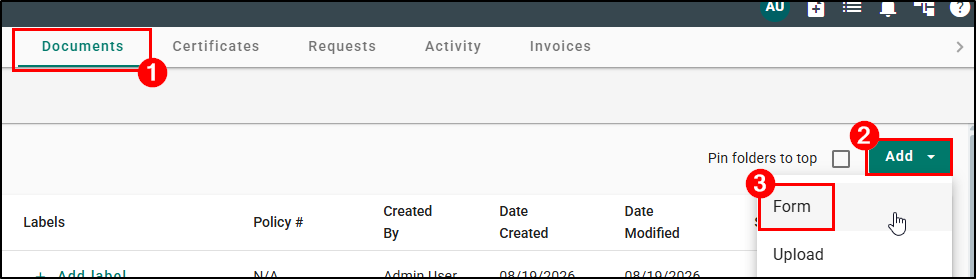
When you are in the above workflow, the “Save and create Submission” button will display.
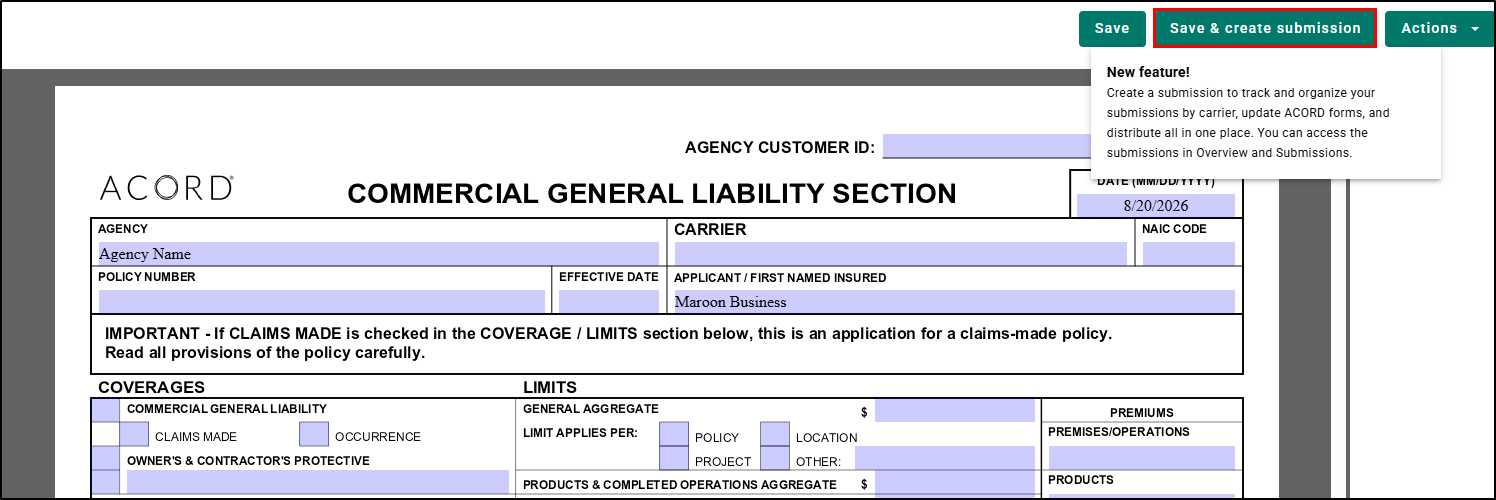
Step 1: Read the first-use guidance (one time)
The first time the button becomes visible, a guidance pop-up appears automatically, explaining what a submission gives you: "A place to track and organize submissions by carrier, update ACORD forms, and distribute, all in one place, reachable from Overview and Submissions."
Once you have clicked the button, the pop-up stops appearing on that browser. If you dismiss the ACORD Preview without clicking the button, the guidance pop-up will keep appearing until you use the button at least once.
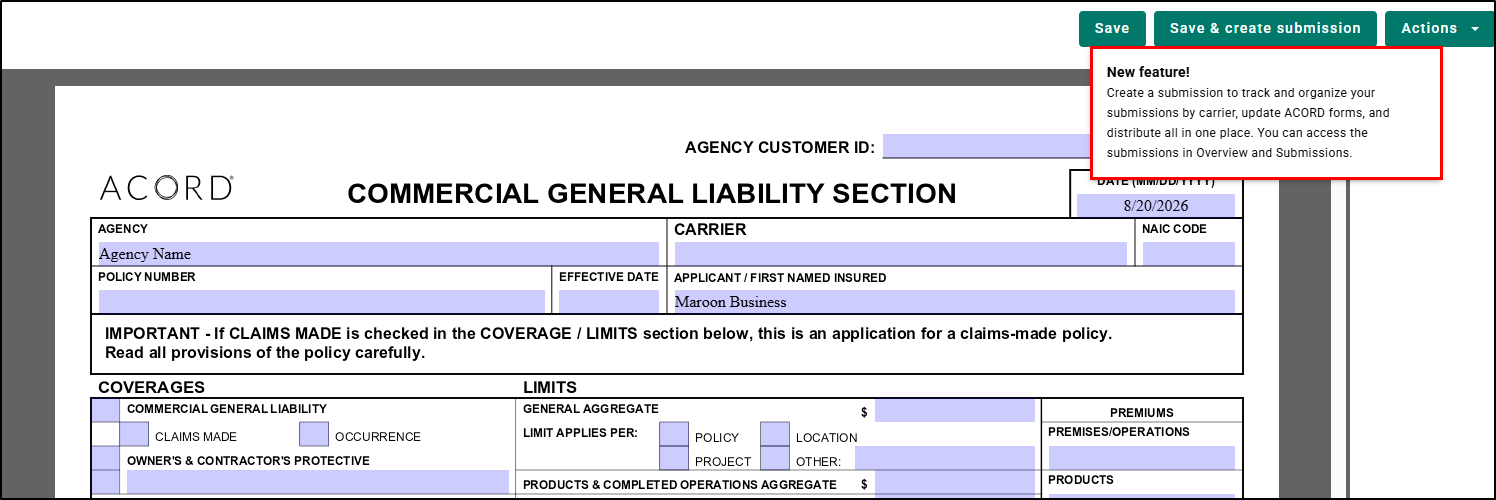
Step 2: Save and create the submission
When you click “Save and create Submission” button, EZLynx saves the form and creates a new submission in a single step.
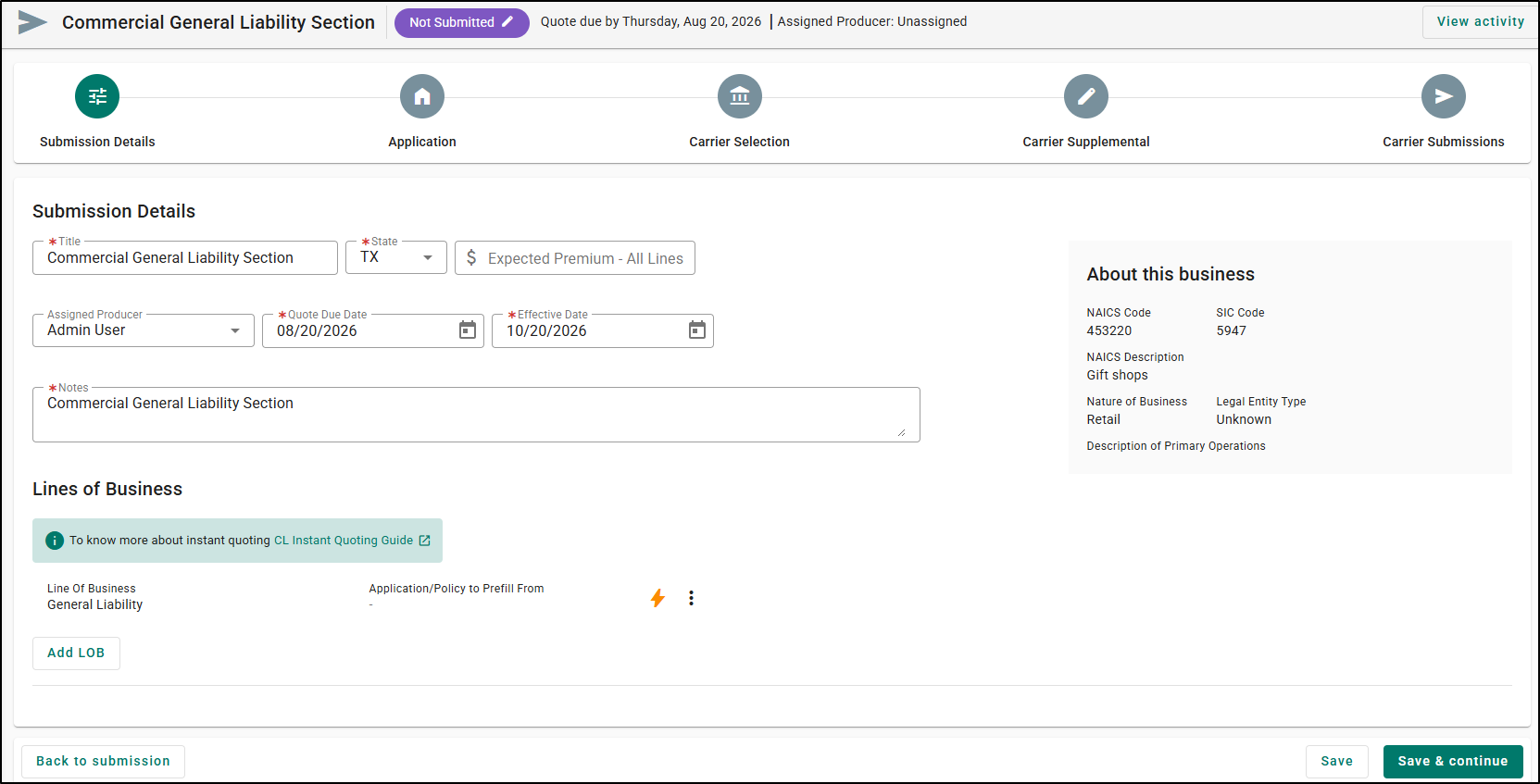
Step 3: Review the pre-filled submission
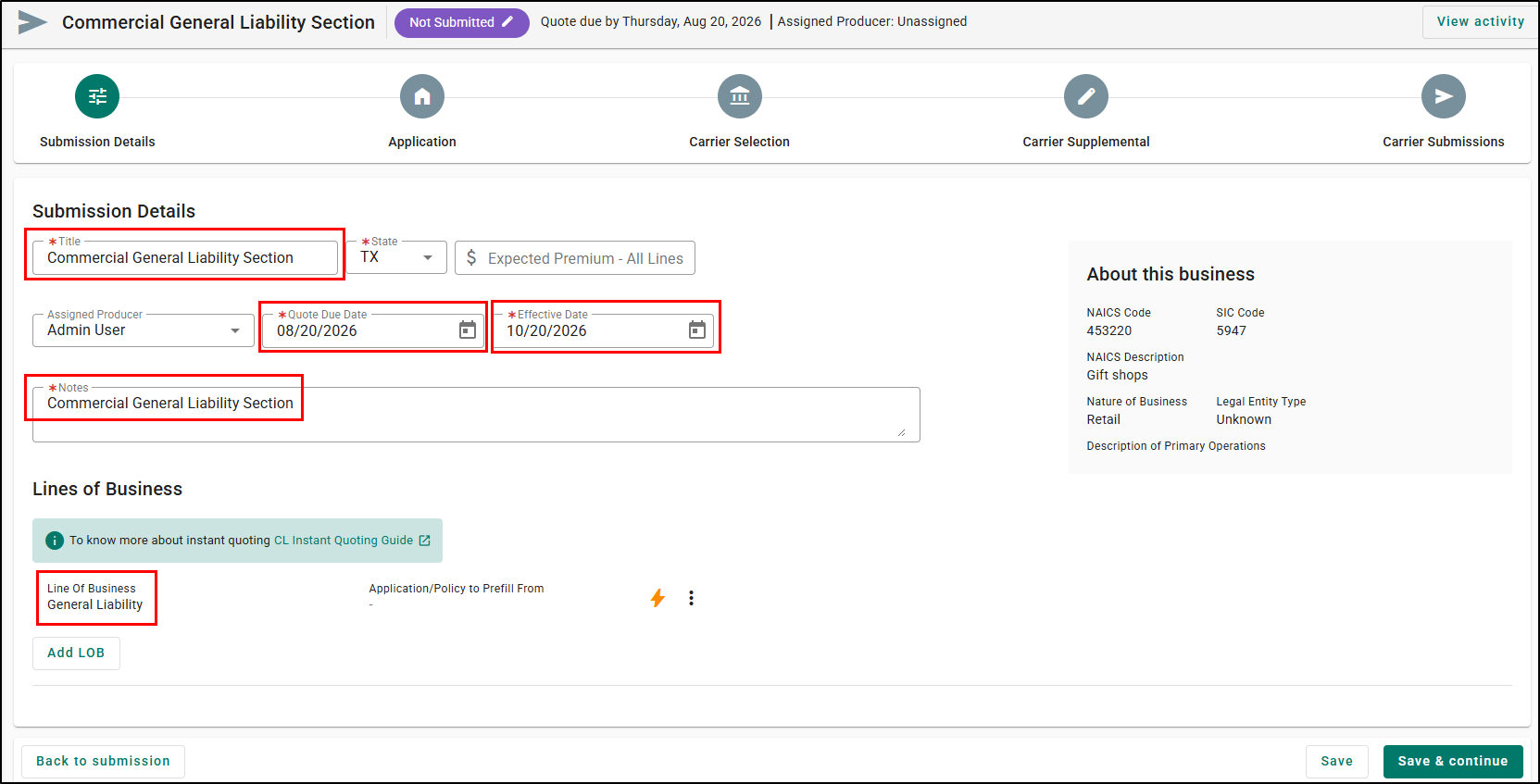
The new submission opens with:
- The application screen pre-filled from the ACORD form, with the correct Line of Business already selected.
- A submission title, taken from the document name on the forms pop-up if one is present, or defaulting to “Commercial Insurance Application” if not.
- Quote Due Date set to today’s date.
- Effective Date set to 60 days from today.
- Default starter notes following the standard submission template.
Every one of these values is editable. Review them, adjust anything you need, and finalize the submission.
Practical Applications
Here are 3 ways your agency can make the most out of this feature:
- New commercial account, fast turnaround: A CSR takes in a General Liability request and completes the ACORD 125/126 in the form preview. Instead of re-entering everything into a new submission, they click Save and create Submission and immediately have a started submission with the applicant data, the CGL Line of Business, a Quote Due Date, and an Effective Date already set. They move straight to selecting carriers, shaving minutes off every new-business setup.
- Consistent, ready-to-market submissions: A commercial lines team wants every new submission to start from the same baseline. The system-generated title, default dates, and starter notes give each submission a consistent starting point, so the marketing team receives submissions that are already organized and documented, reducing back-and-forth.
- Cleaner handoffs between roles: An account manager completes the ACORD form and creates the submission in one action, so the marketer picks up a submission that is already populated and titled, with no gap where details get lost or re-entered incorrectly between the two people.
We hope you found this release article helpful in learning about the new way you can create commercial submissions directly from ACORD Forms. If you found this article helpful, please answer the question below. Check out our related articles on the right-side to learn more about EZLynx.
Did you find it helpful? Yes No
Send feedback