New Mexico - UM/UIM Compliance Updates
Modified on: Thu, 20 Aug, 2026 at 12:11 PM
We’re excited to announce that with this release, you are now able to manage New Mexico uninsured and underinsured motorist coverages more easily at the vehicle level within EZLynx Auto. This update helps align the coverage experience with New Mexico requirements while making the quoting process more intuitive for your team.
Instead of working through coverage selections at a broader policy level, users can now review and select these options directly for each vehicle where they matter most.
We also made layout and usability improvements to create a smoother, clearer experience in the coverage tab.
Altogether, these enhancements are designed to reduce confusion, improve visibility, and help your agency move through New Mexico auto quotes with greater confidence.
What's in it for me
- More control per vehicle: Users can review and select applicable coverages for each vehicle individually.
- Less confusion: Moving these options to the vehicle level makes it clearer where coverage choices belong.
- Smoother quoting: Improved display and selection behavior helps reduce friction during data entry.
- Better visibility: Coverage information is presented in a more organized way, making it easier to confirm selections.
How it works
1. Access the feature: Open a New Mexico personal auto quote in EZLynx and navigate to the Coverage area for the vehicles on the policy.
2. Review vehicle-level coverages: For each vehicle, look for the uninsured and underinsured motorist coverage options, including property damage coverage where applicable. Choose the appropriate coverage values directly at the vehicle level instead of managing them in a broader coverage section.
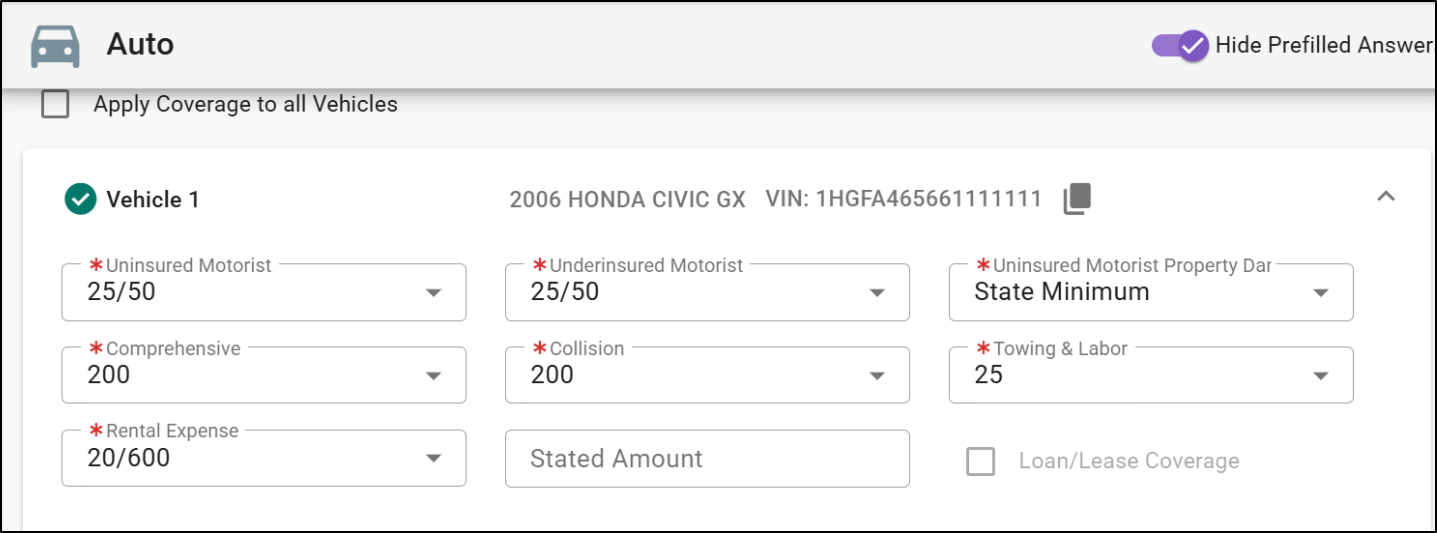
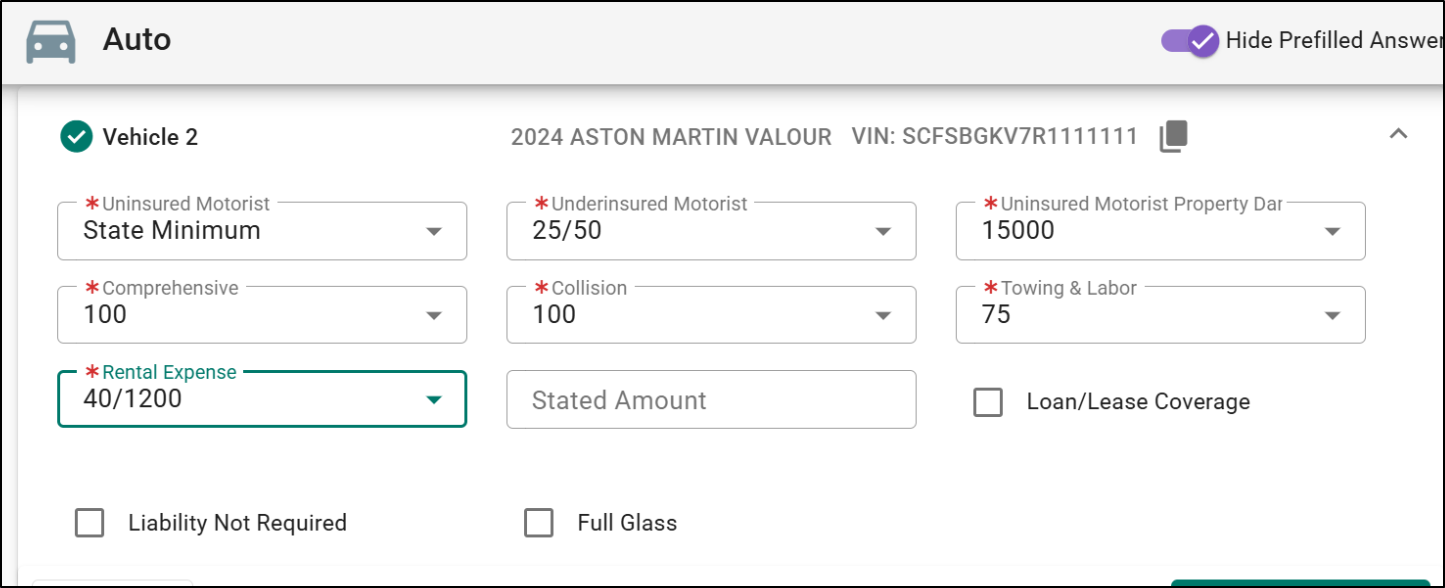
3. Confirm your entries: Review the coverage selections for each vehicle to ensure the quote reflects the intended choices.
4. Continue quoting as usual: Once selections are made, proceed through the rest of the quote flow and review the resulting premium details.
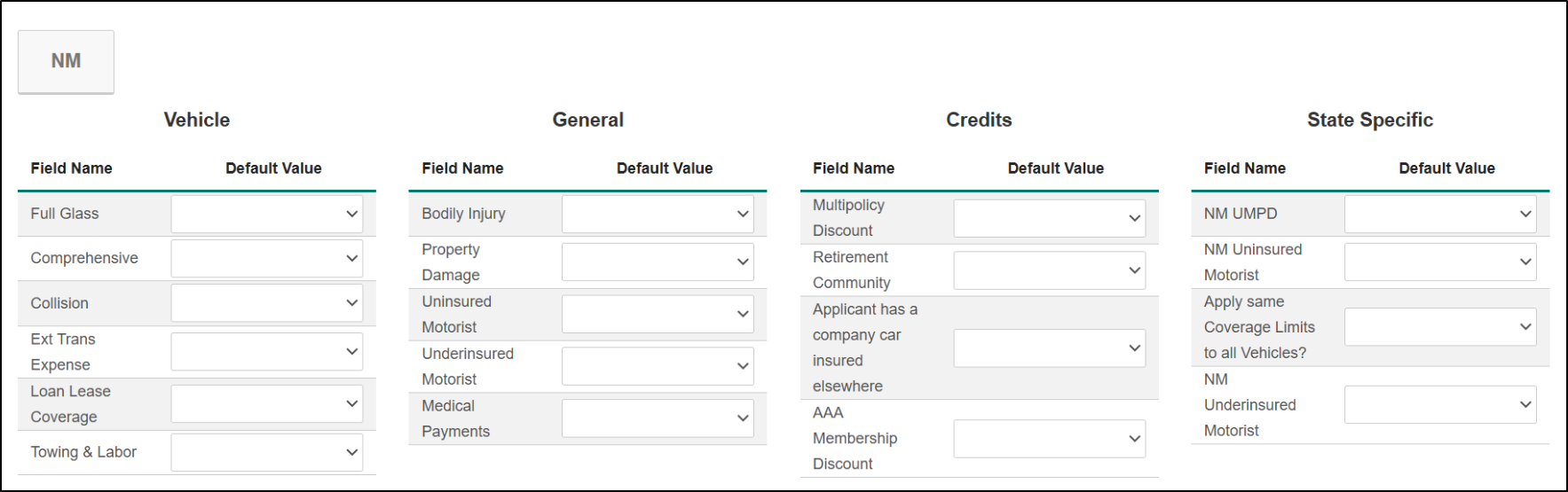
These changes are applicable for both our Rater and QAS.
Practical Applications
3 ways your agency can get the most out of this feature
- Quote multi-vehicle households more clearly: When different vehicles need different coverage selections, your team can manage those choices in the right place without extra guesswork.
- Reduce back-and-forth during quote review: A clearer coverage layout helps producers and service staff quickly confirm what was selected for each vehicle.
- Improve the customer conversation: When discussing coverage options with an insured, your team can walk through selections vehicle by vehicle in a way that feels more natural and easy to explain.
We hope this article was helpful in learning about the compliance updates for the state of New Mexico in our Rater. If you found this article helpful, please answer the question below. Check out our related articles on the right-side to learn more about EZLynx.
Did you find it helpful? Yes No
Send feedback