Underwriting Dashboard Modernization
Modified on: Fri, 21 Aug, 2026 at 1:06 PM
We’re excited to announce that with this release, you are now able to manage underwriting requests more easily from an improved dashboard experience.
This update brings together clearer request visibility, faster filtering, saved filter sets, and streamlined navigation so your team can focus on the work that matters most. Whether you need to find items waiting on you, review bind-related requests, or organize similar requests more efficiently, the dashboard is designed to help reduce back-and-forth and speed up daily workflows.
These enhancements make it easier for both underwriters and agents to stay aligned, find the right requests quickly, and take action with more confidence.
TABLE OF CONTENTS
What's in it for me
- Get a clearer view of underwriting activity in one organized dashboard
- Quickly find the requests that need your attention with dedicated tabs and filters
- Save time by storing frequently used filter combinations for future use
- Sort and review requests more efficiently with expanded column visibility
- Reduce clutter by grouping duplicate requests together
- Move from the dashboard to request or applicant details faster when deeper review is needed
How it works
Access the feature
To access the new modernized Underwriting Messaging dashboard:
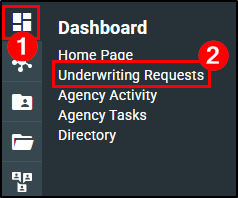
1. Hover over the Dashboard icon.
2. Choose Underwriting Requests. This will open the Underwriting (UW) Dashboard to view your request list. Both underwriters and agents can access the dashboard.
The dashboard displays key request details in a table view, including items such as request dates, status, type, agency information, applicant, carrier, line of business, and owner.

Use tabs to narrow your view
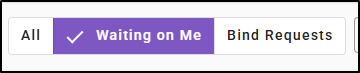
Switch between views like All, Waiting on Me, and Bind Requests to focus on the requests most relevant to your work.
- Clicking the “Waiting on Me” tab filters the list to show only requests assigned to or awaiting my input.
- Clicking the “Bind Request” tab filters the list to show only requests waiting bind action
Dates Option
You can filter the requests by Request Date and Last Updated parameter’s.

Apply filters
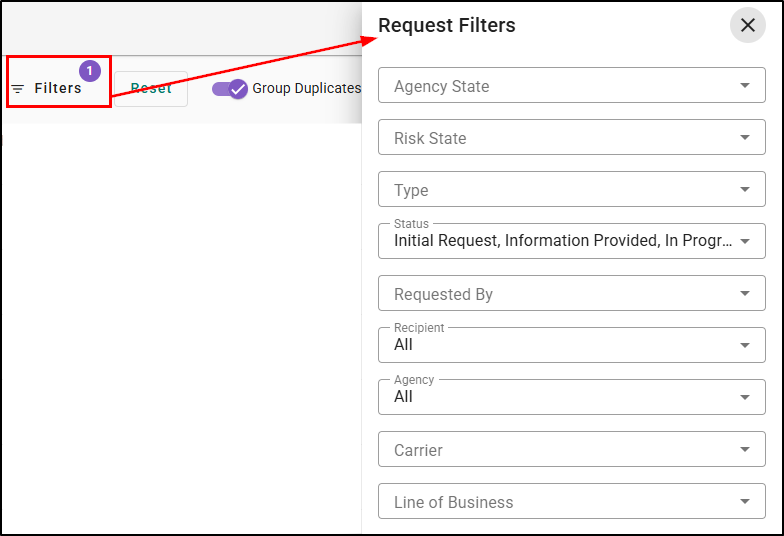
Use the filter panel to narrow results by values such as agency state, risk state, type, status, requested by, recipient, agency, carrier, line of business, request date, and last updated date.
Please note, the Agency filter is only present if you are an underwriter.
Save filter sets for reuse
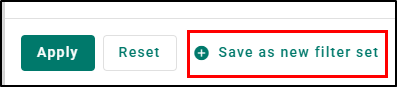
After choosing filters, save them as a custom filter set so you can quickly apply the same view again later. You can also rename or delete saved filter sets as your needs change.
 |  |
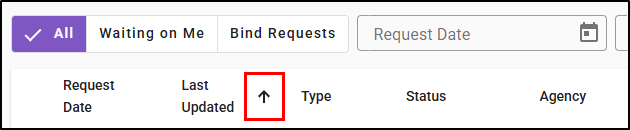
Sort and organize results
Sort the list by relevant columns to organize requests the way that works best for your team.
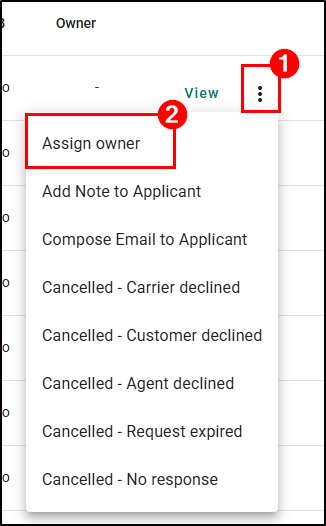
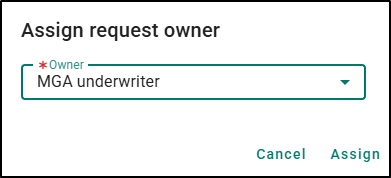
Reassign Owner
If you are an underwriter, you can reassign a request to a new owner, allowing that person to take responsibility for and continue working on the request.
 |  |
Group duplicate requests
Keep the dashboard easier to scan by grouping duplicate requests together.
Expand a grouped row to review individual items when needed. Duplicate transactions occur when an agent initiates multiple bind requests for the same Line of Business (LOB) and rating state while an existing bind request is still open. The duplicate badge should appear at the end of the request line
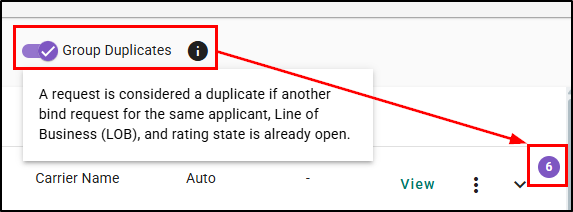
The total number of request should be mentioned next to page arrows at the bottom-right only when the Group Duplicate toggle is on.
Group Toggle On 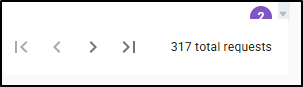 | Group Toggle Off 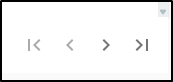 |
Take action
Select View to open request details, or click an applicant name to navigate to the applicant page and review request information there.

Practical Applications
3 ways your agency can get the most out of this feature:
- Prioritize work faster: Use the Waiting on Me view to quickly focus on requests that need your action, helping your team respond sooner and keep work moving.
- Reuse common views: Save your most-used filter combinations so you can return to the same request list in just a few clicks instead of rebuilding filters each time.
- Cut through dashboard clutter: Group duplicate requests together to make large volumes of activity easier to review and to help your team spot related items more quickly.
We hope this article was helpful in learning about the new modernized Underwriting Messaging Dashboard. If this article was helpful, please let us know by answering the question below. Check out the related articles on the right-side to learn more about EZLynx.
Did you find it helpful? Yes No
Send feedback